










Forty open chats. A shared inbox filling with "where is my order" emails. Three agents on leave, and a monthly report asking why cost per contact keeps climbing. Someone suggests a chatbot. Someone else says customers hate chatbots. Both are partly right, and neither sees the whole picture.
Customer service automation is software, AI and self-service that handle or assist repetitive support requests without a human agent for every interaction, while people take the exceptions. Contact-center and IT leaders increasingly rank it among their highest priorities, and in many support organizations it already runs as the default operating model rather than an experiment.
A chatbot is only one visible piece of that model. Automation works as a governed service system, with defined jobs for machines, defined handoffs to people and a named owner for every step. Each part depends on the others. A well-trained bot with no escalation path frustrates customers, and a skilled team buried in password resets never gets to use its judgment. Getting the full system right is what separates a support function that scales from one that traps customers in a loop.
Table of Contents
- What Customer Service Automation Actually Means
- Which Support Requests Get Automated and Which Stay Human
- How the Automation Chain Works, Step by Step
- Where Automation Fails and How to Hand Off Well
- Benefits and the Metrics That Prove Them
- Governance and Accountability Enterprises Cannot Skip
- Choosing Your First Automation Use Case and Vendor Questions
What Customer Service Automation Actually Means
Strip away the vendor language and the category becomes practical. Automation covers every place software takes a step that used to consume an agent's time: answering a repeat question, tracking a parcel, resetting a password, routing a request to the right queue, summarizing a long thread, pulling a customer record before the call connects, or drafting a reply an agent edits and sends.
The list of activities matters more than the label. Customer service automation is the use of software, artificial intelligence, machine learning, robotic process automation and self-service interfaces to handle or assist repetitive support work without a human agent for every interaction, as 8×8's survey summary describes it. That definition covers answering FAQs, tracking orders, resetting passwords, routing requests, summarizing conversations, retrieving customer records and assisting agents in real time.
The principle underneath it is hybrid service. Automated systems resolve predictable, high-volume requests, and people handle complex, emotional, exceptional or high-risk cases. Every design decision you make later, from confidence thresholds to escalation queues, flows from that split.
Adoption reflects it. In the same survey of more than 300 contact-center and IT leaders across the US, UK and Canada, 97% were interested in AI for customer self-service and 87% in AI-powered real-time agent assistance. 52% had already invested in conversational-AI capabilities and another 44% planned to adopt them.
Working definition: automation is task handling inside a service system that people still govern. The software does the predictable work. Your team keeps the judgment.
Which Support Requests Get Automated and Which Stay Human
The question readers arrive with isn't "what is customer service automation" in the abstract. It's "how far can this go before a person has to step in". The table below answers it by request type.
| Request type | Automation level | Typical example | Hand to a person when |
|---|---|---|---|
| Password reset | Fully automated | Identity check, then a reset link sent | Repeated failed identity checks or a locked account |
| Order tracking | Fully automated | Live status and estimated delivery date | Shipment is lost or marked damaged |
| FAQ answers | Fully automated | Store hours, return window, plan features | Question falls outside the knowledge base or confidence is low |
| Booking changes | Fully automated | Reschedule a slot in real time | The change breaks a fee or policy rule |
| Billing disputes | Assisted | Bot gathers invoice details and payment history | Any amount in dispute, or a refund request above the set limit |
| Complaints and distress | Human-led | Bot takes details and routes immediately | Always, with transcript and context attached |
Read the "assisted" row carefully. It's where the work is often misjudged. The bot isn't resolving a billing dispute; it's doing the clerical prep so the agent opens the case with the invoice, the payment history and the customer's own words already on screen.
A parcel shows the table in motion. A customer asks where their delivery is. The bot pulls the tracking record, confirms the new address and reschedules the delivery end to end. Two days later the same customer returns with photographs of a crushed box. Now the bot collects the photos, opens a damage claim and transfers the case to an agent with the full transcript attached. One conversation, two automation levels, one clean handoff. That kind of end-to-end action is where the technology has moved: our AI agents can complete a purchase or reschedule a booking in real time rather than only answering questions.
The rule behind the table is short. Automate what is predictable, low-risk and reversible. Route money disputes, legal exposure and customer distress to people, every time, without a confidence score deciding it.
Treat the thresholds as local policy, not gospel. A refund limit that suits a subscription business will be wrong for a retailer shipping high-value goods, and a utility will escalate differently from a travel brand. The table is a starting point for your own risk taxonomy, not a fixed standard.
How the Automation Chain Works, Step by Step
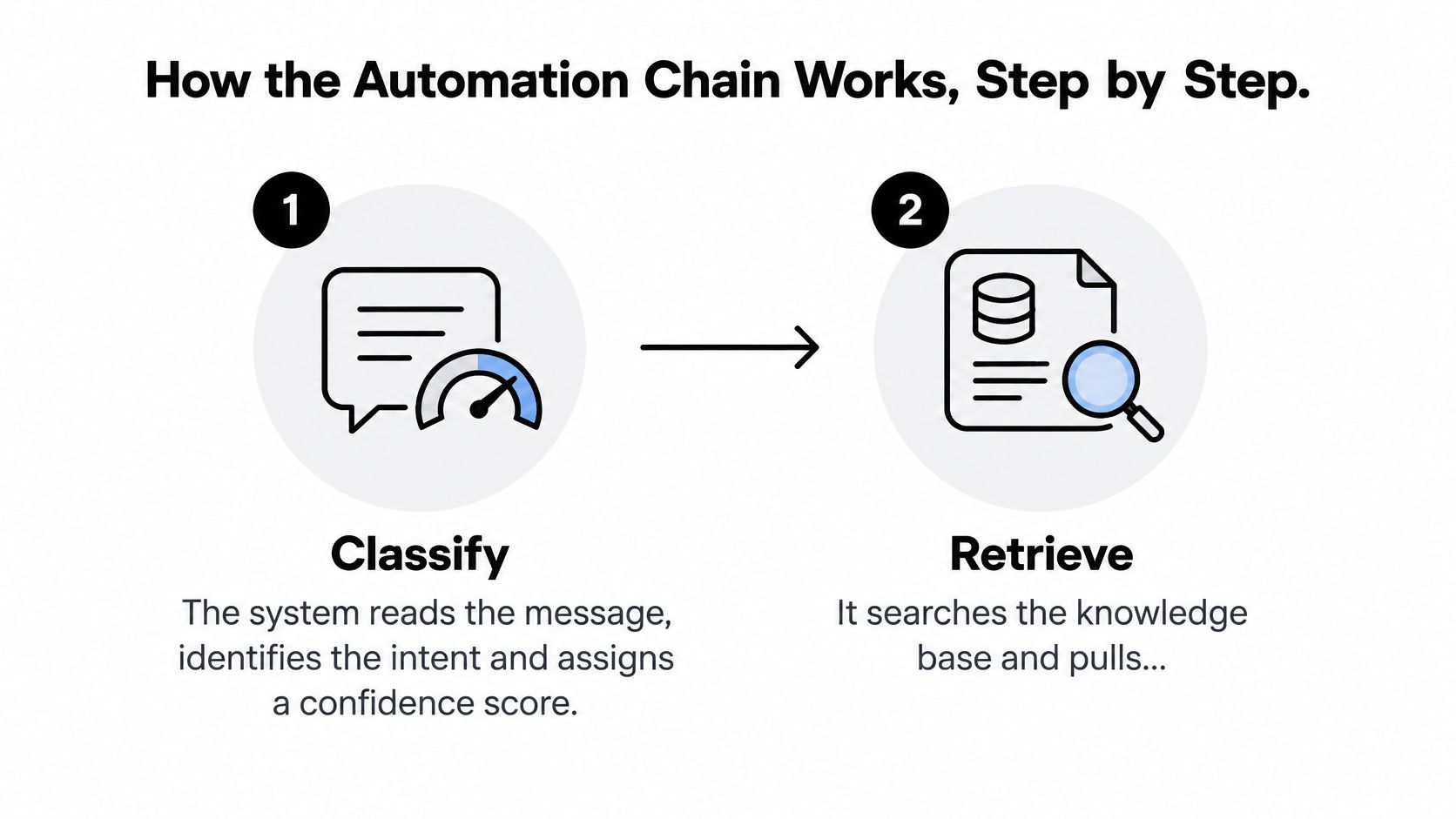
A refund request arrives at 9:01. By 9:02 it has been classified, matched to an order, resolved and logged, with no human touching it. Every automated request travels the same five-stage chain, and the chain works like a hospital triage line: intake identifies the problem, records supply the history, treatment happens or the patient is routed upward, and every transfer carries the chart. Skip a stage and the whole line slows down.
- Classify. The system reads the message, identifies the intent and assigns a confidence score. It also picks up tone, which is why an angry "third time I've asked" should score differently from a neutral question.
- Retrieve. It searches the knowledge base for an answer and pulls the customer record from the CRM or order system, so the reply reflects this customer's actual account.
- Respond or act. It either writes an answer grounded in the retrieved content or executes a transaction, such as a refund under a set limit or an address change on an open order.
- Check confidence. Below the threshold, it stops. The most expensive design mistake in support automation is letting a low-confidence guess go out because the flow had no exit.
- Escalate with context. The transcript, order history and attempted steps travel to the right queue, so the agent starts from the middle of the problem rather than the beginning.
The step teams most often misread is the third. Responding and acting are different operations with different risk profiles. A written answer that misses the mark costs one bad reply; a wrongly executed transaction costs real money and a reversal. In a governed system, each stage has a named owner and a written policy, and the workflow orchestration layer decides which system answers each stage. Our email automation runs on top of existing ticketing and CRM tools rather than replacing them, so the chain extends the stack you already run instead of forcing a rebuild.
The agent-assist layer deserves its own look, because it improves service without removing anyone. In a controlled field study of more than 5,000 support agents reviewed by Nielsen Norman Group, access to a generative-AI assistant raised inquiries handled per hour by 13.8% (significant at p < 0.01) and successful problem resolution by 1.3%, with a 34% improvement for novice and low-skilled agents. The mechanism was real-time response suggestions generated from the live conversation. That gap between junior and senior agents is what you would expect: a suggestion engine substitutes for experience an agent has not built yet, while a veteran already carries those patterns.
The same chain runs in service operations well outside support desks. Tutoring programs use tools that automate tutoring operations to classify incoming requests, pull student records and route exceptions in the same sequence, which shows the pattern is a general service design rather than a helpdesk feature.
Four things break this chain, and all four are operational. Stale knowledge articles that nobody retired, so retrieval serves an answer that was correct two policy changes ago. Retrieval permissions that hide a record the agent can see, so the bot answers with less context than the human it escalates to. Channel data, like an SMS thread or a phone call, that never reaches the shared customer record. And escalation queues with no owner, where a transferred case waits while the customer watches the clock.
Where Automation Fails and How to Hand Off Well
Automation does not mean removing human support, and customers are clear about the difference. In a survey of more than 600 U.S. consumers, 75% had received a fast AI response that still left them frustrated, and nearly nine in ten said losing access to human support reduced their loyalty to a brand, according to Glance's report on the survey. The causes named were repeated misunderstandings, broken workflows, inconsistent data and fragmented handoffs across channels.
None of that is resistance to AI. It's a design problem.
Containment rate alone will happily hide it. A bot that deflects a hard question and closes the chat has "contained" the conversation while sending the customer to a competitor. Measure whether the interaction reached a correct resolution, and whether context survived the escalation.
Design rule: the customer should never have to repeat information they already gave the machine.
Four rules make handoffs work in practice:
- An explicit route to a person at every step, visible in the interface, not buried behind three failed attempts.
- Confidence thresholds that trigger the handoff, tuned from real transcripts rather than set once at launch.
- Mandatory escalation for sensitive cases, covering complaints, health questions, money disputes and anything touching identity.
- Context transfer that includes attempted steps, not just the transcript. The agent needs to know which fix already failed.
Our email automation transfers complex use cases to a human agent with the thread intact, and the same expectation should hold on chat and voice. Context transfer has to name the queue that owns the case at the moment of transfer, because an unowned escalation is just a slower dead end. For teams building this properly, human-in-the-loop automation is the mechanism that keeps a person in control of the decision while software handles the paperwork.
Run three tests on a live flow this week. Can the customer reach a person in two steps? Does the agent see the full transcript and the attempted fixes? And who owns the case after transfer, by name of queue rather than "the team"?
Benefits and the Metrics That Prove Them
Cost is the loudest argument for automation and the easiest one to overstate. Gartner forecasts that conversational AI will reduce customer-service costs by $80 billion by 2026, and that approximately 10% of agent interactions will be automated that year, up from 1.6% in 2022, a roughly sixfold increase, as Plivo's contact-center statistics roundup reports. Read the scope precisely: agent interactions, not every customer contact.
Value arrives through several routes at once. Routine contacts move to self-service, handling time shortens, routing improves, records surface automatically, and employees get summaries and suggested replies. The same roundup notes industry estimates of up to 40% reductions in handling time and up to 30% in operating costs from robotic-process-automation deployments, with outcomes varying by process design, integration quality and escalation policy. That variance is the whole point. The tool doesn't produce the saving; the design does.
Why one number misleads. Containment, handle time and first-contact resolution interact. Push containment up and handle time down by refusing to help, and first-contact resolution collapses along with satisfaction. Read them as a set or not at all.
| Metric | What it measures | Benchmark or signal |
|---|---|---|
| Containment or resolution rate | Share of conversations resolved without an agent | Read alongside first-contact resolution, never alone |
| Average handle time | Time from first message to case close | Directional reductions reported for RPA deployments, varying by process |
| First-contact resolution | Share of issues solved in one contact | Should hold flat or rise as automation expands; a fall means deflection is hiding work |
| Escalation rate | Share of conversations handed to people | Should fall only while resolution quality holds |
| Inquiries handled per hour | Agent output with assistance | Watch whether gains hold after the novelty period and concentrate among newer staff |
| Customer satisfaction | Customer rating after the interaction | Segment customers who met a bot first; a gap there is the real signal |
| Total cost per interaction | All costs including governance and escalation | Count knowledge upkeep, monitoring and escalation labor, not just bot cost |
The durable measure for an enterprise is the combination: containment or resolution rate, customer satisfaction, first-contact resolution, average handling time, escalation quality, compliance and total cost per interaction. Automation is a measurable service-delivery capability, not a standalone chatbot.
Governance and Accountability Enterprises Cannot Skip

Model choice rarely decides whether automation scales. Data and accountability do. Capgemini's 2026 CX research identifies fragmented data and low trust in data and AI outputs as barriers that limit scalability and predictable outcomes, and reports that 69% of organizations believe human oversight mitigates the risks associated with AI agents, per the Capgemini AI-powered CX report.
So put the hard question first. When an automated answer is wrong, outdated, biased or built on two systems that disagree, who owns the fix?
The answer is a named person for every knowledge article and a control set around them:
- A source of truth per article, so a policy change lands in one place instead of five.
- Retrieval permissions, so a bot can't quote an internal note to a customer.
- Audit logs of prompts, retrieved documents, tool calls, decisions and escalations.
- Adversarial and regression testing, rerun whenever a policy, product or price changes.
- Drift monitoring, because model quality slips when customers change how they ask.
- Disclosure, so people know they're talking to a machine.
- A rollback switch that pauses an answer without pausing the channel.
The NIST AI Risk Management Framework describes this as a lifecycle discipline: map, measure and manage risk with explicit organizational roles and procedures for monitoring performance, bias and security. The European Union's AI Act points the same way, emphasizing dataset quality, human oversight, transparency and telling people when they're interacting with a machine.
Here's the failure in miniature. A refund bot keeps quoting last year's return window after a policy update. The fix isn't a better model. It's one source owner, a regression test on policy questions, and a switch that pauses the answer while the article is corrected. That is what enterprise AI governance looks like when it's operational rather than aspirational.
Which is why the business case has to include governance costs and avoided-error value, not only labor savings and response speed.
Choosing Your First Automation Use Case and Vendor Questions
Start narrow and prove the model before you scale it. The sequence below is the one that survives contact with real traffic.
- Pick a high-volume, low-risk intent with stable answers, such as order status or password reset. Not complaints, not regulated advice.
- Confirm the knowledge source is current and has a named owner who answers for it.
- Set confidence thresholds and handoff rules before launch, not after the first bad transcript.
- Define the funnel metrics you'll judge it by: containment, handle time, first-contact resolution, escalation quality and satisfaction.
- Pilot on a slice of traffic, review transcripts weekly, and expand intent by intent.
Before any of that goes live, run a five-point check. A named source owner for every article the flow touches. A documented escalation path with a queue that owns transferred cases. Audit logging switched on from day one. A metric baseline captured before launch, so you can tell improvement from noise. And a rollback switch someone can reach at 2am.
Then handle the commercial side in writing. Enterprise plan pricing is obtained by contacting us directly, so use that conversation to pin down scope, the integration list for your existing ticketing and CRM systems, escalation features and the testing tools included. Compare quotes against that written scope rather than against a headline automation percentage.
The next step is small and specific. Choose one intent this quarter, run the checklist against it, and book the pilot review before launch day so the decision to expand, fix or stop has a date attached.
Yellow.ai runs customer service automation as a governed system rather than a chatbot bolted onto a help center: AI agents across chat, email, voice and more than 35 channels, with complex cases transferred to your people alongside the full conversation context. Our platform pairs an AI Copilot for testing and debugging with automated testing and enterprise-grade compliance, so the controls described here are part of the build, not an afterthought. If you're scoping a first intent, visit Yellow.ai to see how the automation chain, the handoff rules and the audit trail fit together.