










You already have the widget. It greets visitors, asks two qualifying questions, and drops the promising ones into a rep's queue. That part took an afternoon.
Then the reports start arriving. The same visitor shows up in HubSpot three times under different email casings. A transcript from Tuesday never reaches the contact record. A ticket for a delayed invoice lands in the wrong pipeline, unassigned, because the CRM write timed out mid-conversation and nobody noticed. That's what HubSpot chatbot integration looks like: the conversational layer is quick to build, while the plumbing underneath is where projects stall. The business case for the plumbing is settled. HubSpot's own account of its 2018 chatbot rollout reported 75% more visitors engaged with the chatbot than with live chat, and more than 55% of participants gave real answers to basic qualifying questions and moved on to a human representative (HubSpot's write-up of the chatbot lead-generation test).
The order of work that avoids the mess is unglamorous. Choose the integration path, authenticate it properly, map records, keep headroom against the rate limits, test the failures rather than the happy path, then get written approval for data access before the bot touches a live contact. Everything after this paragraph assumes you're doing that in sequence.
Table of Contents
- Pick the Right HubSpot Integration Path
- How to Authenticate and Set Up the Connection
- How to Link Conversations to Contacts and Tickets
- Staying Under HubSpot Rate Limits at Scale
- Testing Payloads, Duplicates and Handoffs
- Sign Off on Data Access Before You Go Live
Pick the Right HubSpot Integration Path
The decision that shapes everything else isn't how the bot talks. It's where the bot's logic and data live, and who gets paged when a CRM write fails at 2am.
| Path | Best for | Access model | Main trade-off |
|---|---|---|---|
| Native chatflow in HubSpot | Website chat that qualifies visitors and hands off to a rep | Built into HubSpot, linked to contact records | Custom logic limited to rule-based actions and code snippets |
| Private app with HubSpot API | Internal teams with custom routing and ticket creation | Private app token with scoped access | Your team owns retries, queues and monitoring |
| Public OAuth app | Software distributed to many HubSpot accounts | OAuth token per installed account | Lower limit of 110 requests per 10 seconds per installed account |
| External orchestration layer | Multi-channel CX spanning contact center, voice, HR or knowledge base | Connector to HubSpot plus other enterprise systems | Extra platform to manage, identity mapping and added cost |
The question that separates the four paths
Ask one thing before you write any code. Must this conversation live inside a HubSpot record, or is HubSpot one participant among several?
Native chatflows keep conversations in the CRM, attach them to contacts, and let a rep pick up from the shared inbox. The moment a conversation might start in a phone queue, a knowledge base or an HR service desk, HubSpot stops being the only system of record and someone has to own identity across every channel.
HubSpot has moved in that direction itself. Its Conversations API guide describes custom messaging channels and API-based management of conversations, which lets you bring additional messaging experiences into the inbox rather than treating the native widget as the only surface. What the tooling doesn't answer is how you manage multi-channel identity, context continuity, escalation, testing and analytics across systems. The same guide cites a Salesforce survey in which 88% of service leaders said they were prioritizing technology integration for AI initiatives, which makes that unanswered question more urgent, not less.
Unified data isn't the same thing as a unified customer experience. Connect two channels without a shared identity key and matching event schemas and you get two contact records for one person, plus two different answers to the same question on the same afternoon.
What each path costs you
- Native chatflows, one channel, small team: no separate infrastructure, no auth to manage. Custom logic stops at rule-based actions and code snippets, so anything conditional and complex turns into a workaround.
- Private app, most internal builds: you control routing and ticket creation, and you accept retries, queues and monitoring as your job rather than HubSpot's.
- Public OAuth app, only if you distribute software: per-account tokens and a shared-app review process, and you give up headroom compared with a private app.
- Orchestration layer, multi-channel enterprises: the honest answer when a phone queue and a website chatbot must share one customer history, paid for with an extra platform, identity mapping and budget.
Say a support team runs a website chatbot and a phone queue. If both live in HubSpot, the phone agent sees the chat on the contact timeline. If the phone system is external, no amount of chatflow work merges them, and the first sprint goes to identity mapping rather than conversation design.
The choice that's hard to undo: the integration path. Moving from a chatflow to a private app later is a rebuild of the routing layer, not a refactor.
If you're still weighing build versus buy on the conversational layer itself, TekRecruiter's guide to chatbot development services sets out the delivery models and what each one expects from your team. Pick the path with your channel count and your on-call capacity in front of you, not with the conversation design open.
How to Authenticate and Set Up the Connection
Authentication is where builds go wrong, because everything works in staging and fails the first time a restricted token meets a production write.
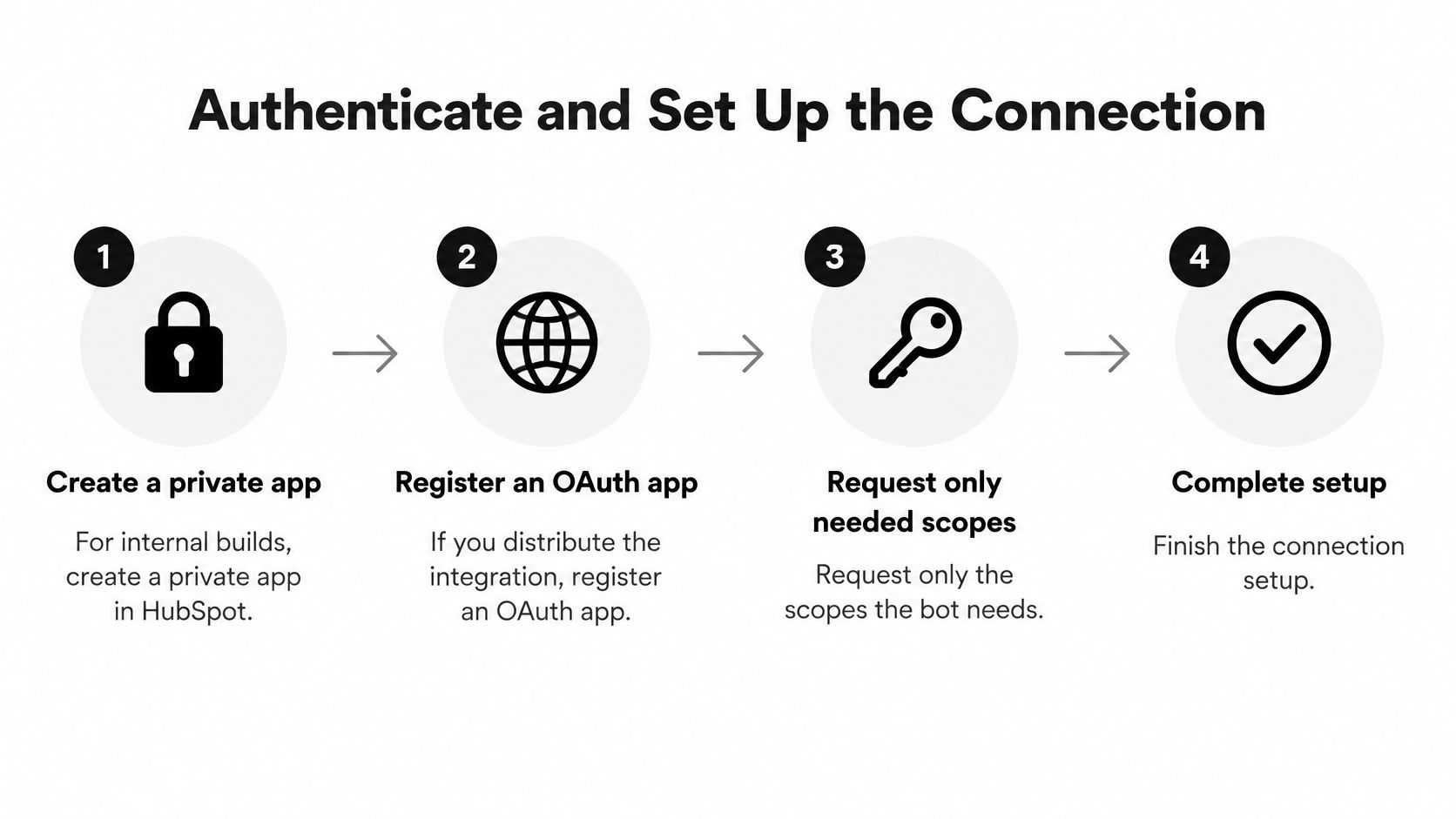
Create a private app for internal builds, or register an OAuth app if you distribute. A private app gives you one token scoped to one portal, which is exactly right when the bot serves your own customers. Register an OAuth app only when other HubSpot accounts will install your software, because OAuth adds a consent flow and an app review you can't skip later.
Request only the scopes the bot uses. Contacts, tickets and conversations cover most builds. Add anything else only when you can name the specific flow that reads it. A broad scope set turns a single leaked token into read and write access across the whole CRM, and it's far easier to request a scope up front than to explain why you're removing one that workflows already depend on.
Keep the token in a secrets manager, never in a chatflow code snippet. Snippets are visible to anyone with portal access and get copied into sandboxes during debugging. Rotate on a schedule, and rotate again after any staff change.
Expose a publicly reachable HTTPS endpoint and answer it fast. HubSpot delivers events to your URL, so the endpoint needs a valid certificate, a public hostname, and a response that returns before delivery times out. Acknowledge first, work second.
Validate the signature on every incoming request before you parse the body. If you process first and validate second, an unauthenticated caller can write notes and tickets into your CRM. Reject with a 4xx and log the source address so you can tell a misconfiguration apart from an attack.
Make one real read against a known contact. Create a contact by hand, fetch it through the integration, and confirm the response matches the record you expect. Then repeat the same call with the restricted token the production bot will use.
The slip that breaks production
Testing with an admin token. Admin tokens hide scope gaps because every call succeeds. Production then fails on the first ticket creation with a 403 that never appeared in staging, usually at your busiest hour. Test with the same restricted token the live bot will hold, and test in a portal where you can break things without consequences.
Rule I don't break: if the handler can't acknowledge in under two seconds, the work belongs on a queue.
What a working connection looks like
Three facts should be true at the same time. The token is valid and rotating on schedule. The webhook subscription is active and subscribed to the event types you care about, not everything the API offers. And one test event is delivered, acknowledged and visible in your logs within a few seconds of being sent. If that last part takes longer, the endpoint is doing enrichment inline and will fall over the first time a hundred conversations land together.
How to Link Conversations to Contacts and Tickets
A chatbot conversation is only worth the build if it lands on a record someone will read. In HubSpot that means the conversation belongs to a contact, and the contact timeline shows the chat next to form submissions, emails and tickets.

The chatbot builder works inside the Smart CRM, so conversations attach to individual contact records, and the shared inbox lets chatbots sit alongside live chat, SMS, WhatsApp, social messaging, Facebook Messenger and team email (HubSpot's CRM conversations overview). That's the architectural point worth internalizing: the bot is a source of customer data, not a standalone web widget. HubSpot reports more than 2,000 integrations on its platform, and its own user survey has 90% of marketers saying personalization increased and 83% saying the platform unifies company data in one place. Treat those last two as vendor survey metrics rather than independent benchmarks; they describe user sentiment, not measured outcomes.
Decide the field map before you touch a chatflow
Write down which fields the bot may write: lifecycle stage, qualification answers, support reason. Everything else the visitor types goes into a note, not a property. Free text in a property destroys reporting, is impossible to clean afterwards, and will end up in a workflow filter someone relies on.
Then wire the flow in this order.
- Map each answer to a named property. One question, one property, one data type. If an answer doesn't fit an existing property, ask whether a note is the better home before you create a custom field you'll maintain forever.
- Subscribe to conversation webhooks so the handler reacts to new messages. Polling threads for changes burns request budget and still misses bursts.
- Create tickets from a queue, not inside the chat request. A slow CRM write shouldn't hold the visitor hostage while they watch a typing indicator. Acknowledge the message, then open the ticket behind the scenes.
- Link the ticket to both the contact and the conversation thread. An agent who has to search for the transcript will ask the visitor to repeat themselves, which is the failure the whole integration exists to prevent.
Say a visitor asks about a delayed invoice. The bot collects the account email and order number, the handler matches the contact on email, and a ticket opens in the support pipeline with the transcript attached and the order number in a property. Nobody types a note, and the next agent has context before the first reply.
If the desk behind HubSpot is a contact center rather than the native inbox, read up on call center CRM integration patterns before you decide where the record of truth sits. Bolting a second system of record onto a working CRM link is where identity duplication starts.
How to confirm the record landed correctly
Three checks, run on a real conversation rather than a fixture. The contact timeline shows the chat and the ticket in order. The ticket's associated contact is the person who chatted. And no second contact exists, which is the check teams skip. Duplicate contacts usually come from the bot creating a record on the collected email before searching for an existing one, so search first and create only on a miss.
Staying Under HubSpot Rate Limits at Scale
A contact import starts while a chat campaign is live. Both processes compete for API capacity, and the chat handler begins receiving 429 responses. The widget is still working; the integration has run out of headroom.
HubSpot's limits vary by app type and tier. Check the applicable row in HubSpot's API usage guidelines before setting traffic targets.
| App type and tier | Requests per 10 seconds | Daily request limit |
|---|---|---|
| Free or Starter private app | 100 | 250,000 |
| Professional private app | 190 | 625,000 |
| Enterprise private app | 190 | 1,000,000 |
| Public OAuth app | 110 per installed account, excluding CRM Search API traffic | Set by the installed account's own tier ceiling |
Four controls, in order of impact
Replace polling with webhooks. A handler that wakes on an event avoids repeated checks for records that have not changed. For comparison, a job checking forty threads every minute makes forty requests a minute, whether or not any thread has changed. Confirm that the webhook event covers the update your integration needs.
Batch reads and writes. Group contact updates where the relevant endpoint supports batch operations, rather than making one request per record. Batching reduces request count, but check endpoint limits and payload size; it does not remove the need to budget for API capacity.
Cache stable metadata. Property definitions, pipeline stages and owner lists may be reused across conversations. Cache these values with an explicit refresh policy, and invalidate them when configuration changes. A stale pipeline ID can be harder to diagnose than an extra lookup.
Back off with jitter on HTTP 429. Use exponential backoff with random jitter so parallel handlers do not retry in lockstep. Set a retry limit, then route exhausted work to a dead-letter queue rather than dropping it.
Where the headroom disappears
HubSpot advises keeping error responses below 5% of total daily requests. Use a lower alert threshold so the team can investigate before sustained errors disrupt CRM writes. Track failed requests by endpoint and app, and check whether retries are adding load instead of clearing the backlog.
A contact import of sixty thousand records runs Tuesday at 10am while a live chat campaign is active. If the import consumes the available request capacity, chat updates can start receiving 429s. Schedule imports outside expected chat peaks, process them in batches, and leave capacity for interactive traffic.
Measure peak requests per 10 seconds against the limit for the app and tier in use. If peak traffic approaches half that limit, examine polling frequency, batch support and import schedules before the next campaign. Keep enough headroom for bursts and retries; a design that only works at average traffic will fail at the overlap.
Testing Payloads, Duplicates and Handoffs
Test the failures, not the happy path. The happy path already worked in staging, which is why nobody budgeted for the other five cases.
| Test | How to run it | Pass condition |
|---|---|---|
| Duplicate webhook delivery | Replay the same event ID twice | Only one ticket or note is created |
| Burst traffic | Send a spike of conversations for five minutes | p95 response time and 429 rate stay within the team's targets |
| Invalid signature | Send a request with a wrong signature | The request is rejected and nothing is written to the CRM |
| Human handoff | Trigger a complex question and a negative-sentiment message | The conversation transfers with transcript and contact attached |
| CRM write failure | Force a failed contact update | The event moves to a dead-letter queue and retries stop at the set limit |
Track six numbers through all five tests: p95 chatbot response time, webhook acknowledgment time, 429 rate, duplicate-event rate, CRM-write success rate and human-escalation rate. Without them, "it seemed fine" is the only evidence you'll have in the post-mortem.
Design the event path for resilience
Per HubSpot's documentation on working with chatbots, a production integration should be event-driven rather than polling CRM records. The delivery mechanics matter for your test plan: HubSpot's webhook service supports up to 1,000 subscriptions per application, sends up to 100 events in a request, and limits concurrent delivery to 10 in-flight requests per installed account. Your receiver must authenticate and validate signatures, make event handling idempotent, persist event IDs before downstream processing, acknowledge quickly, and push enrichment or ticket creation onto a queue so a transient failure doesn't cause duplicate conversational actions.
Build the fixture from a real payload
Capture one webhook body from a sandbox account and save it as a fixture rather than inventing one. A realistic new conversation message carries the subscription type, portal ID, thread object ID, an occurred-at timestamp, the conversation ID, the associated contact email, the message text, and whatever the bot collected, such as an order number. Check every field name your handler reads against the current webhook reference, because names shift between API versions and a silent rename is a silent data loss.
Then make the replay honest. Send the same event ID twice inside one batch and expect exactly one ticket. If you get two, the handler is doing the duplicate check after the write instead of before it.
For handoff, don't test with a polite question. Test with a convoluted complaint and with a message carrying negative sentiment, and check that the transcript, the contact and the collected order number all arrive with the transfer. An agent who starts cold has to ask everything again.
Go or no-go: ship only when replayed events create zero duplicates, invalid signatures write nothing, and CRM-write success holds under burst traffic.
Before you run any of it, set up conversational AI testing with the same fixtures you'll use in staging, so a regression shows up as a failing test rather than a customer complaint.
Sign Off on Data Access Before You Go Live
A bot can give the right answer and still expose the wrong data. Before enabling live contacts, document which information the bot may access, where it is stored, and who approved that access.

HubSpot's guidance on creating a chatbot in chatflows describes how chatflows collect visitor information and notes that cookie and data-processing consent are enabled by default. That default does not settle how an external AI system should handle sensitive data or which fields it should receive. The Conversations API can involve inboxes, threads, messages and actors, while custom channels and authenticated-visitor identification may add more systems to the data flow.
Put the authorization decision in writing before the first live contact:
- List the fields the bot may read and write. Name each property. Separate fields such as lifecycle stage, qualification answers and support reason from transcripts and free text, and set a retention rule for the latter.
- Limit access by role and inbox. A support bot should not receive sales-only properties, and a regional inbox should not expose another region's pipeline. If token scopes cannot enforce a restriction, apply it in the handler and document the reason.
- Set transcript retention and processing location. “As long as the CRM keeps it” is not a retention period. Specify how long transcripts are retained and where they are processed.
- Review consent wording by region. Check the chatflow default against the wording and requirements for each region where the bot will run.
- Redact payment details, health information and other regulated data before storage. Route conversations that mention those topics or carry negative sentiment for human review. Document the related customer data protection controls alongside the redaction rules.
- Record who approved each scope. Keep the approval with the data-flow map so the team can identify the decision-makers later.
The sign-off packet should contain four items: a data-flow map, an approved scope list, a transcript retention period and redaction rules. If an external platform connects to HubSpot, include its data flows in the review. Yellow.ai integrates with HubSpot, Zendesk, Freshdesk and Genesys, so assess which connections are in scope for your deployment rather than assuming a CRM review covers every route.
Enable access to live contacts only after the CX lead, CIO or CTO, and compliance owner have signed the packet. Until then, use a sandbox portal.
Yellow.ai offers 150+ pre-built enterprise integrations, including HubSpot, Salesforce, Zendesk and Genesys. If your HubSpot chatbot integration must meet both launch and compliance requirements, talk to Yellow.ai about how the connection would fit your environment.