













The most popular advice about customer service automation software is to choose the platform that deflects the most tickets. That's the wrong buying test. A customer who abandons a chatbot, calls your contact center, and repeats the problem hasn't received automated service. Your team has lost visibility into the failure.
Compare platforms on confirmed resolution and continuous assurance instead. Establish which decisions require a person, demand evidence that automated actions completed, and test whether your team can detect and reverse unsafe behavior after launch.
Table of Contents
- Why Hybrid Beats Fully Autonomous Service
- Benchmarks That Separate Real Automation
- How Leading Platforms Differ in Practice
- Deployment Models and Data Control
- Real Service Jobs by Industry
- How to Prove Each Interaction Was Safe
- What the Business Case Should Count
- Shortlist the Platform That Matches Your Risk
Why Hybrid Beats Fully Autonomous Service
Assume a hybrid operating model before comparing tools. Customer service automation software should coordinate intent recognition, knowledge retrieval, routine actions, and escalation, not function as a replacement desk. In a global survey of 815 contact-center decision-makers, 73% preferred AI combined with human judgment, while 6% favored AI-only automation, according to the Liveops AI Maturity Benchmark. That preference makes operational sense: answering a policy question and deciding whether to make an exception are different jobs. Use human-in-the-loop automation to make the decision boundary explicit rather than leaving escalation to whatever the model happens to infer.
Automate repetitive information requests, classification, summaries, and authorized routine execution. Assign disputes, vulnerable customers, ambiguous intent, regulated advice, and emotionally sensitive cases to people. Before adding conversational AI, remove avoidable contacts through clearer instructions and better status information. Campaign operators, for example, can use the practical guidance to streamline crowdfunding support with PledgeBox when evaluating how to prevent repetitive backer questions. For enterprise procurement, the important distinction is between removing the reason for contact and preventing contact with an agent. Score software on resolution quality, appropriate escalation, customer effort, compliance exceptions, and agent productivity. A timely human transfer should count as a successful routing decision, not an automation failure. Require vendors to demonstrate that distinction in their reporting before accepting a containment target.
Benchmarks That Separate Real Automation
Contact avoidance is an incomplete measure of automation. A system that keeps customers away from agents can still leave work unfinished. Compare platforms on confirmed outcomes and the point at which they hand a case to a person, not deflection alone.
AI contact-center funnel versus non-AI baseline
| Stage | Average AI-enabled | Top quartile AI | Non-AI baseline |
|---|---|---|---|
| Contact deflection | 27% | 58% | Not reported |
| Agentless resolution | 14% | 38% | Not applicable |
| Cost per contact | $10.77 | Not reported | $12.65 |
| First-contact resolution | 81% | 87% | 74% |
MetricNet's North American contact-center comparison reports average AI-enabled deflection of 27% and agentless resolution of 14%, compared with 58% and 38% for top-quartile operations. It also reports average cost per contact of $10.77 for AI-enabled operations versus $12.65 without AI, and first-contact resolution of 81% on average, 87% in the top quartile, and 74% for the non-AI baseline. These figures establish comparison points, not proof that an automated interaction resolved a customer's issue.
Each rate answers a different question
Contact deflection measures whether a customer avoided an agent. It does not show whether the customer got the needed outcome. Agentless resolution counts issues completed without human intervention, so buyers should examine how the vendor defines completion and which cases qualify.
Confirmed resolution depends on the job. A booking change is resolved when the reservation system records the update and the customer receives confirmation. For an informational request, customer confirmation and checks for repeat contact can provide useful evidence. A successful handoff to an agent should count as the correct outcome when the system reaches its escalation boundary.
First-contact resolution measures whether an issue was resolved in the initial contact, including cases handled by people. It is not an autonomous-resolution rate. Cost per contact should reflect the full service workload, not only low-cost bot sessions. Compare these measures using consistent contact-center metrics across channels and vendors. Otherwise, a chat-only figure may exclude harder calls and make performance look stronger.
Make procurement own the denominator
Ask each vendor to define the population and evidence behind its reported rates:
- Population: Which contacts were eligible, excluded, or routed directly to people?
- Channel and period: Which interactions and reporting window produced the result?
- Completion evidence: Which system event or customer outcome establishes success?
- Recontact logic: How are reopened cases and customers switching channels matched?
- Abandonment treatment: Are customers who leave counted as unresolved rather than contained?
Procurement rule: A missing measure is a request for evidence, not permission to substitute a more flattering metric.
Request the funnel before feature demonstrations. Give every evaluator the same eligibility rules and outcome definitions. That makes the comparison about performance and escalation boundaries, rather than differences in how vendors count contacts.
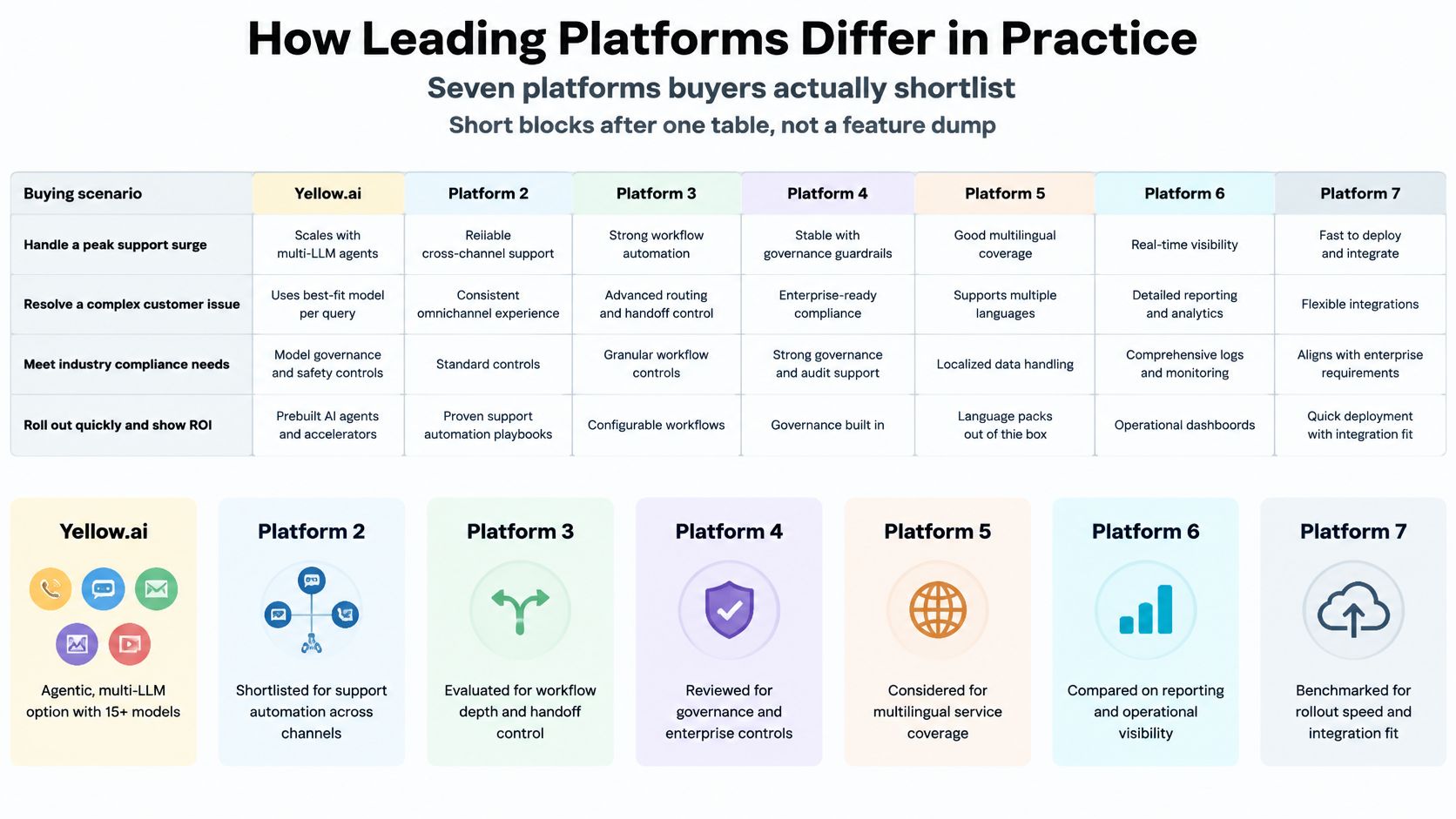
How Leading Platforms Differ in Practice
Customer service automation platforms by buying job
| Platform | Channels | AI approach | Security posture | Best-fit buyer |
|---|---|---|---|---|
| Yellow.ai | Voice, chat, email, images, video | Multi-model orchestration, agentic retrieval, voice automation | Validate certification scope and workload controls | Global, multilingual CX and EX |
| Zendesk | Email, chat, voice, social | Ticket- and knowledge-centered automation | Verify eligible plans and contractual coverage | Ticket-centric support teams |
| Salesforce Service Cloud | Digital cases and voice integrations | CRM-centered reasoning and workflows | Review service-specific enterprise controls | CRM-led enterprises |
| Genesys Cloud | Voice and digital | Routing, conversation AI, agent assistance | Validate recording, access, and regional controls | Large voice operations |
| NICE CXone | Voice and digital contact center | Interaction analytics and agent assistance | Inspect workforce and compliance controls | Regulated, high-volume centers |
| Freshdesk | Email, chat, voice options | Help-desk automation and assistance | Verify selected product and plan coverage | Mid-market help desks |
| HubSpot Service Hub | Email, chat, shared inbox | CRM-connected service automation | Review account, access, and data controls | CRM-led commercial teams |
Use the scenario comparison as a shortlist map, not a substitute for a contractual capability check.
Choose the architectural center
For a cross-channel orchestration platform, evaluate whether voice and digital interactions share business rules, knowledge permissions, and escalation logic. Multi-model flexibility is useful only if you can change a model without losing tested behavior, auditability, or predictable operating costs.
The architectural differentiator to test is one orchestration layer across voice and digital, rather than a chatbot attached to a help desk.
Zendesk is a sensible starting point when agents already work through tickets, macros, and help-center content. Test a policy exception, not just an FAQ: can the automation recognize when a familiar answer is inappropriate and preserve the agent's existing workflow?
Salesforce Service Cloud fits enterprises whose service decisions depend on account relationships, entitlements, contracts, and case history. Its practical trade-off is administrative depth. Ask who will maintain flows, permissions, and data mappings after the implementation team leaves.
Genesys Cloud belongs on the shortlist when telephony, routing, and queue operations are the center of service delivery. Test interruptions, transfers, and recovery from failed backend calls, because a convincing voice demonstration doesn't establish operational resilience.
NICE CXone warrants evaluation where supervisors need interaction analytics, workforce coordination, and controlled agent assistance. Check whether quality findings can produce actionable coaching and workflow changes rather than another reporting dashboard.
Avoid unnecessary platform replacement
Freshdesk suits teams seeking email and chat automation without rebuilding the contact-center estate. Establish where straightforward configuration ends and custom integration begins, especially when a resolution requires changes outside the help desk.
HubSpot Service Hub is a practical fit when commercial teams already organize service around shared CRM records. Test account ownership, lifecycle context, and escalation to specialists before assuming that a shared customer record provides all necessary operational context.
These are primarily cloud SaaS buying decisions. Enterprise controls, regional availability, and included capabilities require product- and contract-level verification.
Use the product walkthrough to prepare concrete workflow questions rather than accepting the demonstration as proof of resolution.
A connector badge isn't evidence of a complete handoff. Have each shortlisted vendor transfer a difficult case into your actual agent desktop and inspect what arrived.
Deployment Models and Data Control
Treat deployment as a set of contractual decisions, not a cloud-versus-on-premises checkbox. A SaaS agreement can still leave unanswered questions about where transcripts travel, which model processes them, and who can change the configuration.
Use these questions in the security questionnaire before the demonstration:
- Where does each data category reside? Request locations for recordings, transcripts, embeddings, retrieved documents, backups, and support access. Evaluate data residency requirements against the complete processing path, not just the primary database.
- Who hosts and selects the models? Identify subprocessors, model endpoints, administrative permissions, and approval requirements for changing providers. Model choice should remain subject to your security and change-management policies.
- Can customer information train shared models? Require a written answer covering prompts, outputs, attachments, and diagnostic logs. A setting in an administrator console isn't a substitute for contractual terms.
- Which workload controls are in scope? For healthcare or payment-related use cases, inspect the relevant agreement, access restrictions, redaction behavior, and audit-log retention. A certification badge doesn't authorize every proposed workflow.
- What crosses the escalation boundary? Require conversation context, intent, authentication state, retrieved knowledge, and a recommended next action. Specify which fields are trusted assertions and which are generated summaries.
Preserve operational portability
Model flexibility only reduces lock-in when prompts, retrieval rules, evaluation suites, and workflow behavior remain portable. Ask vendors to demonstrate a model change against your acceptance tests, including permissions and action execution.
Get written answers from every vendor using the same template. Otherwise, procurement may compare a contractual commitment from one supplier with a sales presentation from another.
Real Service Jobs by Industry
What to automate and what to escalate
| Setting | Automate | Keep human | Failure if misrouted |
|---|---|---|---|
| Banking | Balances, card status, hours | Disputes, hardship, regulated advice | Complaint or compliance breach |
| Healthcare | Appointments, prep, approved benefits information | Clinical interpretation, vulnerable patients | Unsafe guidance |
| Utilities | Outage status, meter reads | Life-support, safety, billing disputes | Safety or trust failure |
| Retail and logistics | Order status, returns rules, delivery windows | Fraud, high-value claims, multi-failure cases | Repeat contacts and chargebacks |
| BPO | Classification, summaries, agent guidance | Client-specific exceptions | Wrong policy applied across accounts |
Follow the change in intent
Banking: A customer asks whether a replacement card has shipped, then explains that an unfamiliar transaction caused the replacement. Automate the shipping lookup, but move the disputed transaction to the appropriate team. The agent needs the authenticated identity status, transaction reference, customer explanation, and actions already completed.
Healthcare: A patient asks for appointment preparation instructions, then describes symptoms and asks whether to stop medication. Retrieve approved preparation content, but don't let the system improvise clinical interpretation. Transfer the appointment details, approved content shown, relevant patient statements, and unresolved clinical question.
Utilities: A caller requests an outage estimate and mentions that someone at home depends on powered medical equipment. Stop treating the interaction as an ordinary status query. Route under the utility's safety procedure and pass the service address, outage information retrieved, vulnerability signal, and recommended urgent action.
A fast automated answer can create more legal or safety risk than a timely transfer to a person.
Carry the exception, not just the transcript
Retail and logistics: A customer asks for a delivery window, then reveals that several replacements have failed and a refund is missing. The automation can retrieve shipment events, but the specialist needs authority to reconcile the broader failure. Send the linked orders, delivery attempts, refund status, identity checks, and outstanding commitment together.
BPO: An agent receives a cancellation request that appears routine until the customer invokes a client-specific retention exception. Automation should classify and summarize the request without borrowing another client's policy. The handoff must identify the client account, applicable policy version, retrieved guidance, authentication state, and approval needed.
Write these boundaries into the pilot scope. Operations leaders should approve the exception paths with the people who handle them, rather than discovering after launch that the software treats a high-risk case as an ordinary intent.
How to Prove Each Interaction Was Safe
Continuous assurance is an operating requirement, not a final implementation milestone. The enterprise AI findings published through Fidelity report that 32% of enterprises used AI-powered quality-assurance and coaching tools. That adoption figure does not establish whether any individual interaction was safe. Score platforms on confirmed resolution and ongoing assurance, not deflection alone, so buyers can judge whether each fits their human-escalation boundary.
Build a review process that leaves evidence an operations team can inspect.
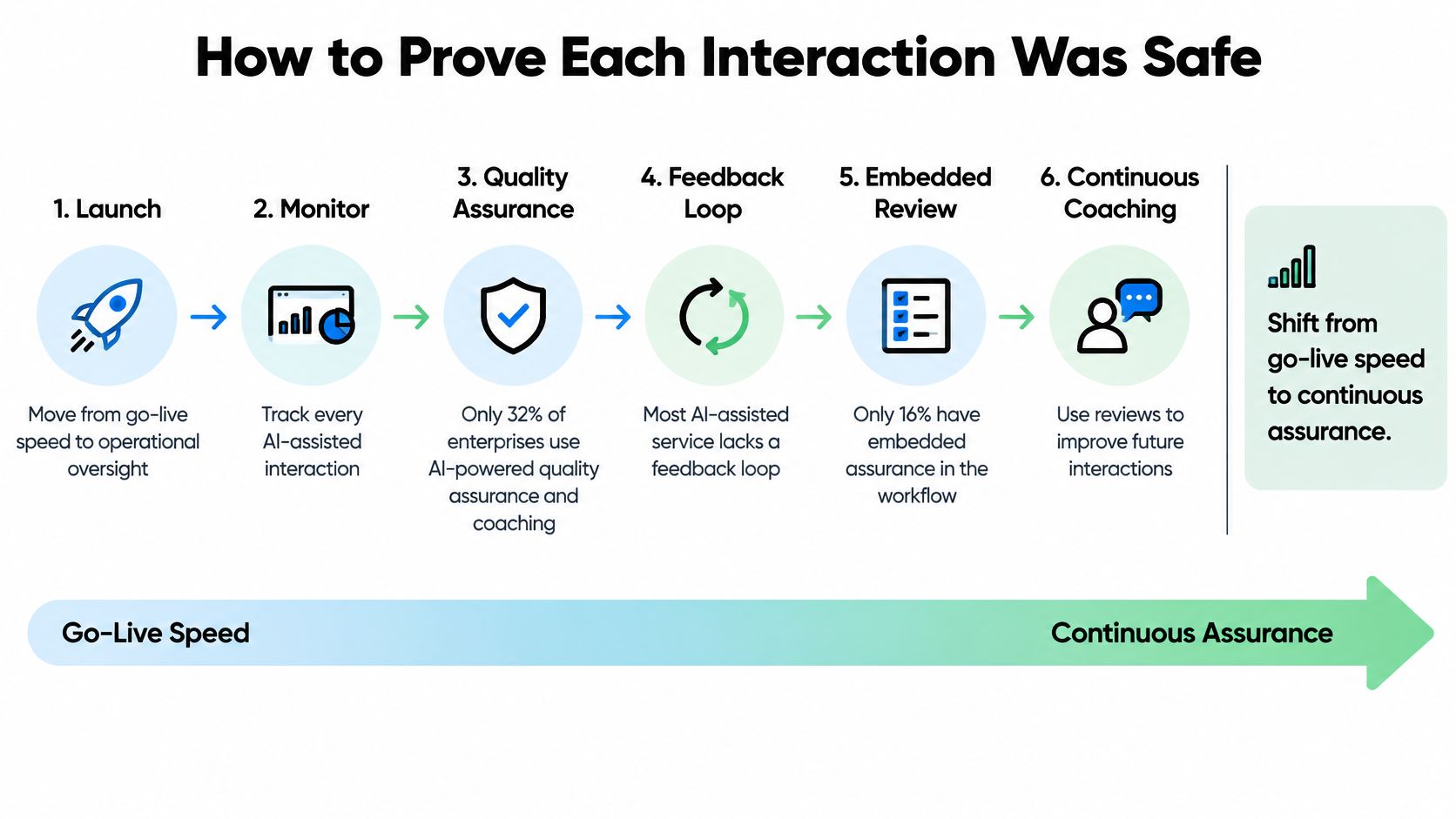
Run an evidence-based review cadence
- Simulate before release. Test supported languages, voice and chat behavior, incomplete authentication, conflicting knowledge, interruptions, and unavailable backend systems. Include attempts to obtain restricted information or trigger unauthorized actions.
- Define escalation triggers. Combine policy rules with confidence signals. Confidence alone cannot show that an answer follows policy, so uncertainty thresholds cannot be the only trigger.
- Review live interactions. Sample across intents, languages, customer groups, and complexity. Include sessions that appear successful, not only complaints and escalations.
- Keep decision evidence. Log the knowledge version retrieved, permissions applied, tool calls attempted, backend results, and customer-facing response. Record whether an action was requested or committed.
- Investigate degradation. Review hallucinations, bias, incorrect refusals, stale answers, and context lost during transfers. Assign an owner and corrective action to each recurring failure pattern.
- Maintain rollback controls. Preserve approved configurations. Specify who can disable an action, revert a model change, or redirect traffic to agents.
Make safety measurable
Track the outcome funnel to determine whether changes improve service, rather than merely shortening conversations. Segment results by language and workflow complexity; an aggregate can hide weak performance in either.
Organization-wide agentic deployment and embedded quality assurance measure different things. Adoption status is not evidence that an interaction was safe.
Have security and CX inspect an actual transcript, retrieval trace, and action log together. They should be able to establish whether the response was correct and authorized, and whether the system escalated when required, without relying on the model's own explanation. Score each platform on confirmed resolution and continuous assurance to see where its human-escalation boundary holds in practice.
What the Business Case Should Count
Build separate cases for agent assistance and autonomous service. They change different parts of the operating model, and combining them into a single automation percentage invites double-counting.
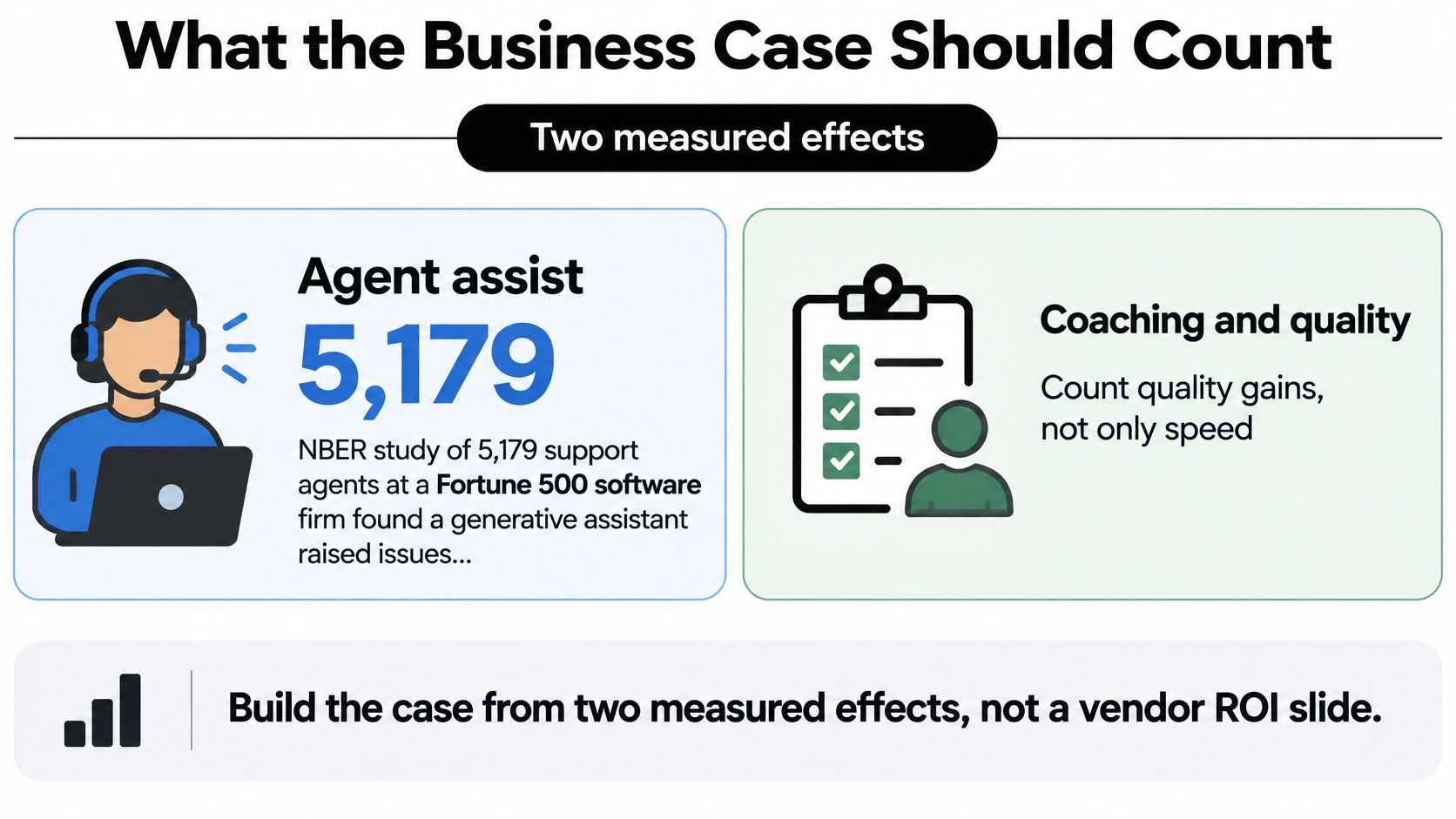
A National Bureau of Economic Research study of 5,179 support agents at a Fortune 500 software company found that a generative assistant increased issues resolved per hour by 14% on average, with gains of about 34% for novice and lower-skilled workers, according to Coworker.ai's account of the study. Experienced staff saw smaller improvements, so finance shouldn't apply the average uniformly across the workforce.
Use the visual as a prompt to separate throughput from quality.
Build a worksheet finance can audit
| Component | Calculation or evidence |
|---|---|
| Autonomous service benefit | Eligible volume × confirmed resolution rate × avoidable handling cost |
| Agent-assist capacity | Assisted workload × locally measured productivity gain by tenure |
| Implementation | Integration, configuration, testing, security review, training |
| Ongoing operation | Knowledge ownership, model usage, monitoring, human QA |
| Failure costs | Recontacts, complaints, remediation, incorrect actions |
| Net benefit | Realized benefits minus implementation, operation, and failure costs |
Use avoidable cost, not a fully loaded average that assumes every saved minute becomes cash. Released capacity may absorb demand, reduce overtime, or improve response times without reducing headcount.
For assisted work, measure actual handling time and throughput with quality held steady. Don't count time saved by automation and then count the same time again as an agent productivity improvement.
Price the complete operating system
Ask vendors for pricing normalized to confirmed resolved outcomes and assisted operating hours, even if their commercial model uses seats, credits, or conversations. Clarify whether voice minutes, additional models, tool calls, testing environments, and premium connectors sit outside the subscription.
Finance check: A capacity gain becomes a financial benefit only when operations can explain how the released capacity will be used.
Keep complaint handling and rework in the model. An inexpensive automated response isn't economical when a specialist must later reverse its action and rebuild customer trust.
Shortlist the Platform That Matches Your Risk
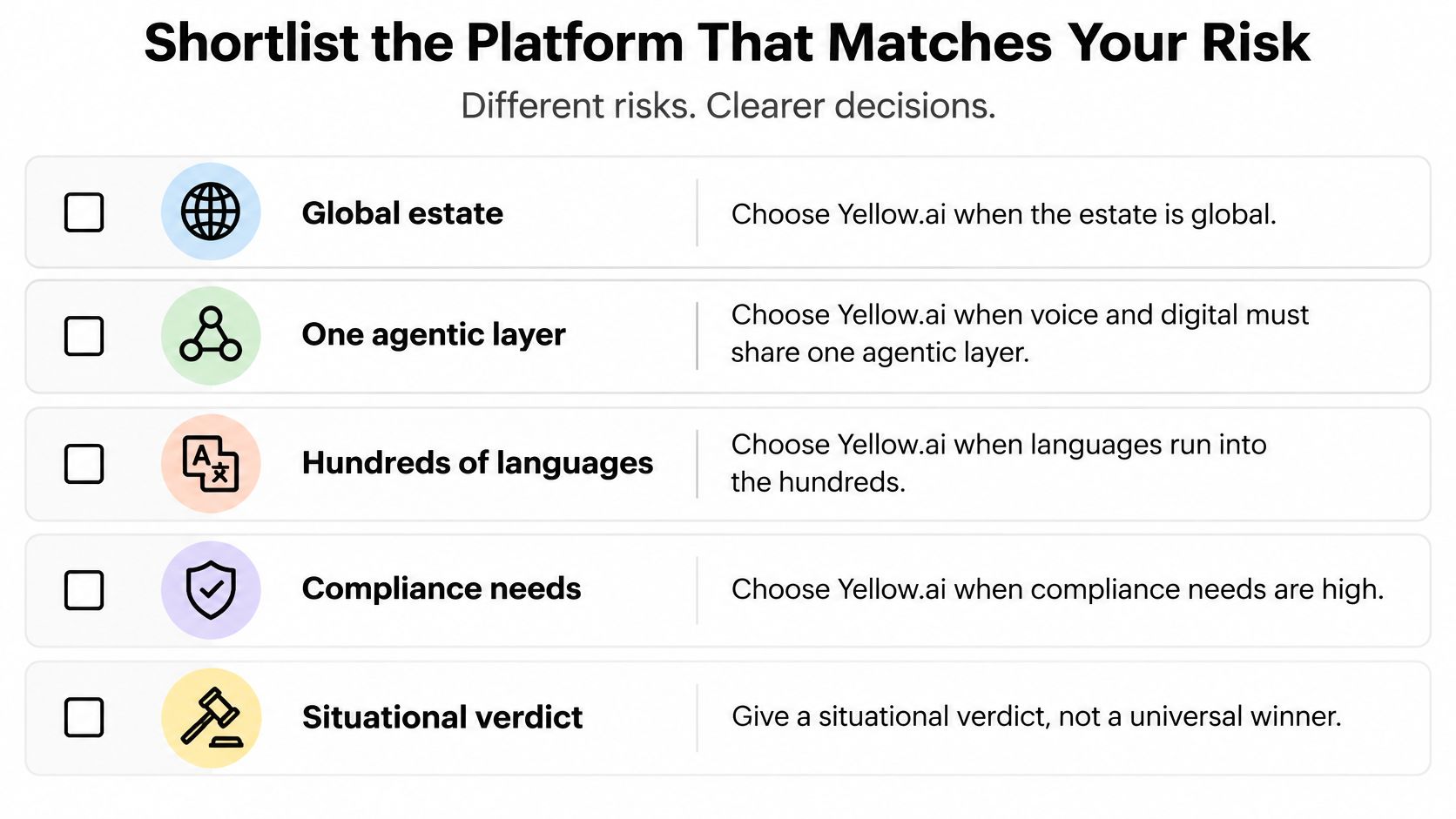
Choose a cross-channel agentic platform when your main constraint is coordinating service across voice, digital channels, and existing systems. The strongest fit is an enterprise that needs a common policy and action layer while retaining established CRM, help-desk, and contact-center investments.
Stay with Zendesk or Freshdesk when ticket workflow is the center of the problem. Prefer Salesforce Service Cloud when customer data relationships and case processes are the constraint. Keep Genesys Cloud or NICE CXone at the center when routing, telephony, supervision, and workforce operations should remain the foundation.
The same fit principle applies outside enterprise contact centers. A practice evaluating client messaging tools for veterinary practices should begin with appointment communication, staff ownership, and clinical escalation boundaries rather than assume it needs enterprise orchestration.
Use the selection visual to frame requirements, then demand proof for your actual workload.
Turn the shortlist into a controlled buying decision
- Freeze the human boundary. Name the intents and actions that require specialist ownership, including exceptions.
- Require comparable funnel reporting. Have procurement reject rates without documented populations and completion evidence.
- Test a difficult handoff. Use your agent desktop and a case that changes intent midway through the conversation.
- Demand release controls. Include pre-launch simulation, approval ownership, incident response, and rollback in acceptance criteria.
- Normalize commercial offers. Compare complete costs against resolved outcomes and useful assisted capacity, not subscription headlines.
- Pilot narrowly. Start with a defined queue and language, agree expansion gates, and keep agents available while validating outcomes.
Don't award the contract to the most fluent demonstration. Choose the platform whose operators can show what happened, explain why an action was permitted, and recover when the system gets it wrong. That's a defensible basis for expanding autonomy.
Yellow.ai offers agentic customer service automation across voice and digital channels, with workflow orchestration and human escalation. Visit Yellow.ai to arrange a working session using your service boundaries, a difficult customer case, and your resolution scorecard so you can evaluate the fit before committing to a rollout.



