









You're staring at a queue that won't clear. Your best agents are answering the same password, order status and refund questions for the tenth time today, while a furious customer with a complicated billing dispute has been on hold for twenty minutes. Your board wants you to cut cost per contact. Your customers want an answer in seconds, at midnight, in their own words. And someone on your team has just forwarded you a vendor deck promising that AI customer service will fix all of it.
That promise is partly true and partly dangerous. AI can resolve routine work instantly and help your agents work faster. It can also misunderstand people, repeat itself, and trap customers who need a human. The difference isn't the model you buy. It's how you define success. If you judge AI by end-to-end resolution, by how well it escalates, and by whether the customer has to repeat themselves, you'll build something customers trust. If you judge it only by how many chats never reach a human, you'll build a very efficient wall.
Table of Contents
- What AI Customer Service Is and Why It Matters Now
- Core Technologies Behind AI Customer Service
- Business Benefits and the KPIs That Prove Them
- Orchestrating Channels and Handing Off to Humans
- Real-World Deployments and What They Teach
- Enterprise Success Criteria Before You Scale
- Implementation Roadmap From Pilot to Scale
What AI Customer Service Is and Why It Matters Now
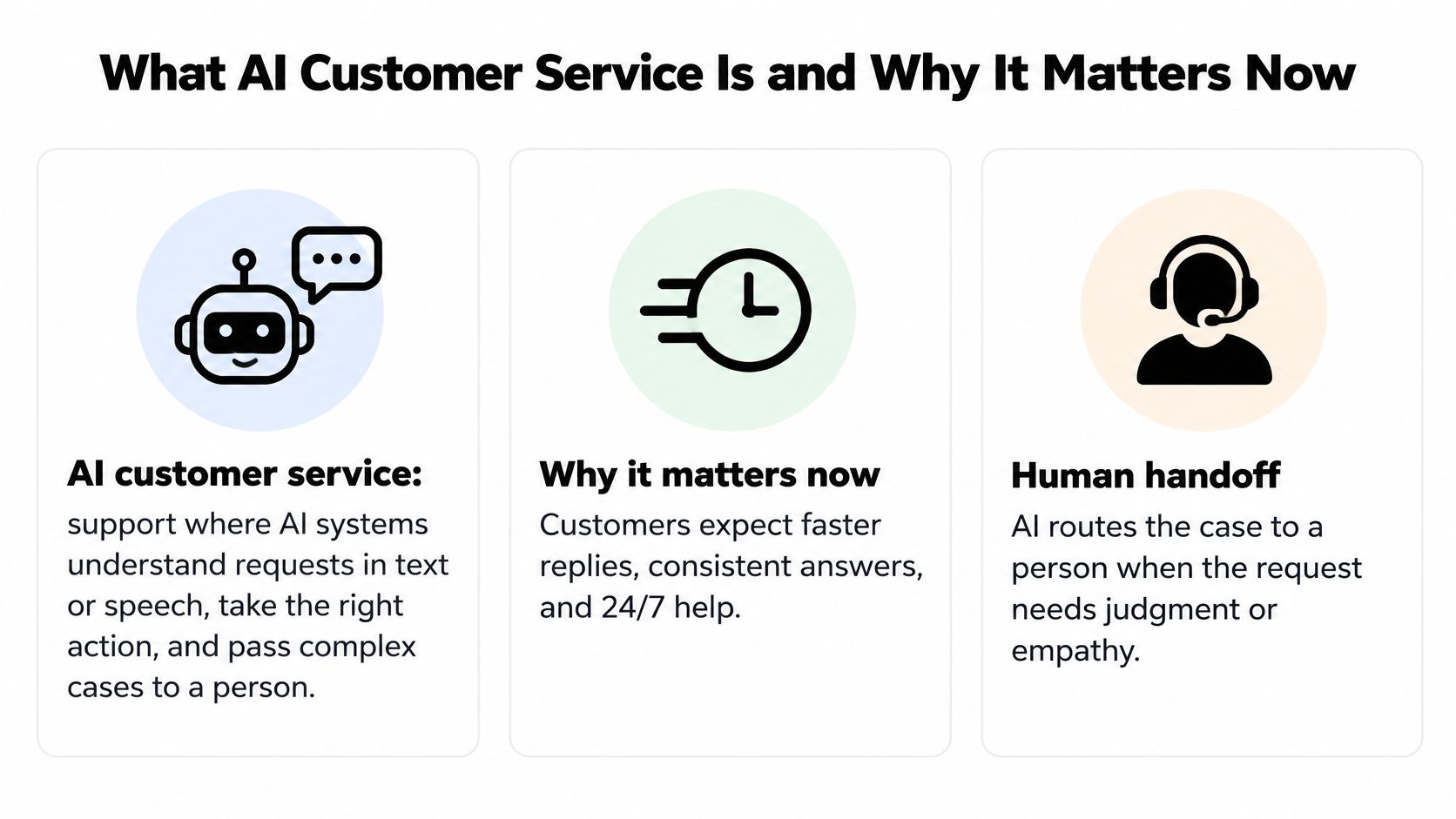
AI customer service is support where AI systems understand a request in text or speech, find or take the right action, and pass the case to a person when the request needs judgment. That's the whole definition. Everything else, chatbots, voicebots, copilots and email automation, is a variation on those three steps.
Think of a hotel front desk. A good concierge handles routine requests instantly. Extra towels, a late checkout, directions to the station. Nobody queues for those. When a guest arrives to find their room flooded, the concierge doesn't recite a script. They call the manager, explain what's happened, and stay until the handover is done. Traditional support makes every guest wait in one line for the same desk. AI-driven support splits the line by need.
Traditional Support Compared With AI-Driven Support
| Dimension | Traditional support | AI-driven support |
|---|---|---|
| Entry point | Phone menu or web form, then a queue | Typed or spoken request, understood in natural language |
| Answers | Agent searches the knowledge base by hand | Retrieval pulls approved content and drafts a reply |
| Availability | Staffed hours, plus queue waits | Around the clock for routine requests |
| Scaling | Hire and train agents ahead of demand | Routine intents absorb spikes without queue growth |
| Handoff | Customer repeats the issue to each new agent | Case and context pass to a person when integrated |
| Main cost driver | Labour per contact | Platform, knowledge upkeep and oversight per contact |
The table shows what changes on the surface. It can't show what decides whether it works. The AI model is not the whole system. Your knowledge base, your routing rules, your escalation thresholds and the people around the AI determine whether answers are right and whether customers feel heard. A strong model reading an out-of-date returns policy will give a fluent, confident, wrong answer.
This shift is already mainstream, not experimental. In McKinsey's fourth global survey of customer-care executives, based on responses from more than 340 leaders at director level and above, more than 80% of respondents were already investing in generative AI or expected to invest in it within the following months. The same survey found that 21% of customer-care leaders were already using AI-based tools to train and support service staff.
Notice what that second figure tells you. AI isn't only talking to customers. It's also sitting beside agents, surfacing answers, drafting replies and coaching new hires. Reported applications span customer-facing chatbots, automated email responses, agent training and support, back-office analytics and decision-making.
Practical rule: If a vendor only talks about replacing agents, they're describing half the system. Ask what the AI does for the agents who remain.
So the working definition is a hybrid model. AI takes repetitive, information-heavy work where the answer exists in an approved source and the steps are predictable. People handle exceptions, policy judgment and emotionally sensitive cases. Your job as a service leader isn't to choose between them. It's to draw the line between them clearly, and to make crossing that line painless.
Core Technologies Behind AI Customer Service
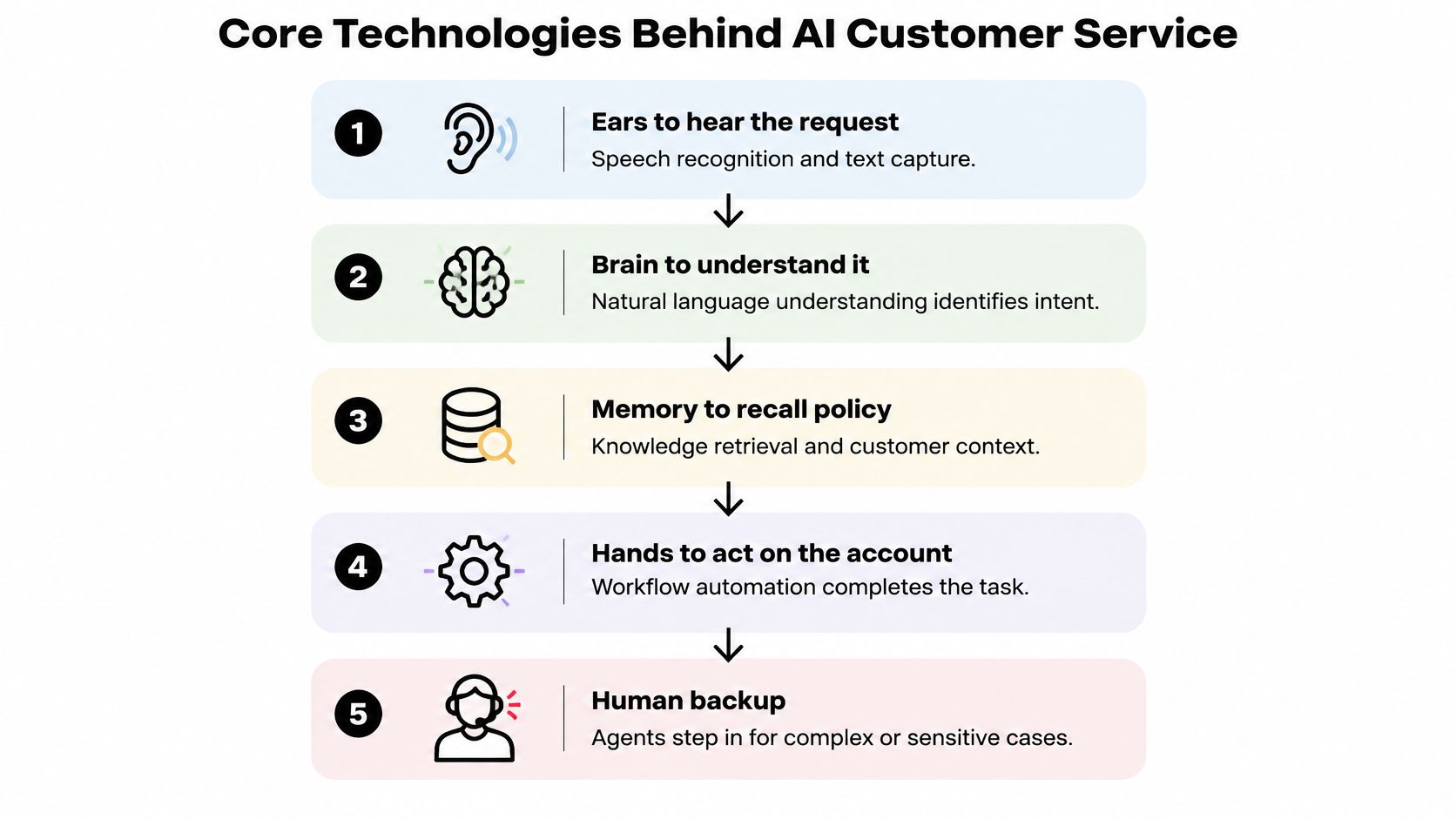
You don't need to become an engineer, but you do need to know which part of the system failed when a customer complains. A useful mental picture is a service team with ears to hear the request, a brain to understand it, a memory to recall policy, and hands to act on the account. Each technology below plays one of those roles, and each fails in its own predictable way.
Core Technologies and What Each Does in a Conversation
| Technology | What it does | Example | Failure mode to watch |
|---|---|---|---|
| NLP | Classifies intent and extracts details such as order numbers | 'Where is my refund?' routed to the refunds flow | Misreads messages that contain several requests |
| Voice AI | Converts speech to text and back, and manages turn-taking | Caller reschedules a delivery by phone | Long pauses and interruptions erode trust |
| RAG | Retrieves approved content before the model answers | Answer quotes the current returns policy | Stale or conflicting documents produce confident errors |
| Multi-LLM routing | Sends each task to the model best suited to it | Fast model checks intent, larger model handles complex reasoning | Quality and cost differ between models in ways that need testing |
| Tool actions | Reads or updates back-end records | Updates a delivery address in the CRM | Unvalidated actions create record errors |
Natural language processing, or NLP, is the brain's first job. It decides what the customer wants, called the intent, and pulls out the details that matter, such as an order number, a date or an account ID. Say a customer writes, "I moved house last week, where's my refund and can you stop sending post to the old place." That's three intents in one message. Weak NLP picks one, ignores the rest, and the customer has to start again. Our proprietary DynamicNLP was launched in 2022 and is described as a first in the enterprise Conversational AI space, built for exactly this kind of intent work.
Voice AI is the ears and mouth. It transcribes speech, decides when the caller has finished speaking, and speaks back. Callers judge it on timing before accuracy. A two-second silence feels like a dropped call. An interruption mid-sentence feels rude. Latency and turn-taking aren't technical trivia, they're the conversation.
Retrieval-augmented generation, or RAG, is the memory. Instead of letting the model answer from its general training, the system first retrieves your approved content, then writes an answer grounded in it. You'll want to understand how retrieval-augmented generation grounds answers in your own knowledge before you evaluate any platform, because it's the main control you have over accuracy. If someone on your team is gathering public help content to seed that knowledge base, understanding web scraping tools helps them collect it cleanly instead of copying pages by hand.
Multi-LLM routing sends each task to the model that fits it best. A fast, cheap model can classify intent. A larger model can reason through a tangled complaint. That reduces your dependence on one vendor and controls cost, but it also means quality varies by route, so you have to test each path separately rather than trusting one demo.
Tool actions are the hands. They check an order, change an address, book an appointment or start a refund in your CRM, commerce platform or ticketing system. At this point, AI stops chatting and starts resolving. It's also where mistakes become real. An unvalidated action doesn't just say the wrong thing, it writes the wrong thing into a customer record.
Adoption is moving, but unevenly. In a Gartner survey of 187 customer-service and support leaders in July and August 2024, 5% already had a customer-facing conversational GenAI solution deployed, while 11% were piloting one and 44% were exploring a GenAI voicebot. Add those together and most leaders were somewhere in the pipeline, but very few were live.
A chatbot is only as good as the knowledge it retrieves. If your help articles contradict each other, your AI will too, just faster and with more confidence.
That gap between interest and deployment usually comes down to knowledge. The same Gartner survey reported that 61% reported a backlog of knowledge articles requiring editing, and more than one-third lacked a formal process for revising outdated content. Fix the memory first. The brain can't compensate for it.
Business Benefits and the KPIs That Prove Them
A finance lead won't ask you about models. They'll ask what changes on the cost line and what customers notice. The honest answer covers five benefits. Lower cost per contact on routine work, faster first answers, around-the-clock coverage for predictable requests, consistent answers drawn from one approved source, and real support for human agents who stop hunting through documents mid-call.
The strongest independent evidence for that last benefit comes from agent assistance, not full automation. In a field study of 5,179 customer-support agents published through the National Bureau of Economic Research, a generative-AI conversational assistant produced a 14% average increase in issues resolved per hour. The average masks the more important story. Novice and lower-skilled agents improved by 34%, while experienced and highly skilled agents saw minimal productivity gains.
That split should shape your business case. The assistant works by surfacing relevant responses and suggesting next actions, which is exactly what a new hire lacks and exactly what a veteran already knows. So you'll get the biggest return in queues with many novice agents, repeatable intents and long knowledge-search times. Measure by segment, not with one blended number, or you'll conclude the tool underperformed when it transformed your onboarding.
Vendor-reported figures point the same way, and you should label them as vendor-reported when you share them internally. We state that AI-driven self-serve support boosts customer satisfaction by 40% and reduces query handling time by 30%. Treat numbers like these as a hypothesis to test in your own pilot, not as a forecast.
Core AI Customer Service KPIs and How to Read Them
| KPI | How to calculate | What it tells you | Watch-out |
|---|---|---|---|
| Automated resolution rate | Conversations resolved without a human ÷ total conversations | Share of work the AI completes end to end | Can hide repeat contacts that return later |
| Containment versus resolution | Contained = no handoff; resolved = customer issue fixed | Separates silence from success | Contained chats are often abandoned chats |
| First-contact resolution | Issues solved in one interaction ÷ total issues | Customer effort | Needs cross-channel case tracking to measure |
| Escalation rate | Handoffs to humans ÷ total conversations | Where the AI reaches its limits | A rising rate can mean better routing, not failure |
| Average handle time | Mean minutes per interaction, human or AI | Speed of service | Faster can mean unresolved work moves downstream |
| Resolutions per hour | Resolved issues ÷ agent hours | Impact of copilot assistance | Compare separately by agent experience level |
| Customer satisfaction (CSAT) | Average post-interaction survey score | Quality as the customer experiences it | Surveys reach only completed interactions |
| Cost per resolution | Total service cost ÷ resolved issues | Spend tied to outcomes | Include platform, licences and knowledge upkeep |
Read that table as a set of guardrails, not a menu. Containment is the most misused number in this field. A conversation is contained when it never reaches a human, which includes every customer who gave up and closed the window. Pair containment with abandonment and repeat-contact rates or you'll reward the AI for driving people away. Tools that analyse conversation outcomes at scale, such as customer interaction analytics across channels, help you separate those endings instead of lumping them together.
A cleaner way to report is to sort every conversation into five outcomes. Successful autonomous resolution means the AI fixed it. Appropriate escalation means the AI correctly handed over. Avoidable escalation means it handed over something it should have handled. Abandonment means the customer left unresolved. Repeated-contact failure means the customer came back about the same issue. Every KPI in the table maps to one of those outcomes, and your improvement work gets much clearer once you can see which bucket is growing.
Reporting rule: Never present one KPI alone. Report at least three together, so no single number can be gamed without another one exposing it.
Budget, too. Your cost lines include the platform licence, per-conversation or per-resolution fees, knowledge upkeep, integration work and oversight staff who review conversations and fix content. Leaders who budget only for the licence are surprised in month four when nobody owns the knowledge base. Knowledge upkeep isn't overhead. It's the product.
Orchestrating Channels and Handing Off to Humans
Teams often treat a handoff as a failure. That assumption is worth challenging first, because it corrupts every design decision that follows. If your team is rewarded for avoiding handoffs, they will build an AI that clings to conversations it cannot resolve, asks one more clarifying question, then another, while the customer's patience runs out. The right question is never "did the AI keep the conversation?" It is "did the customer get a resolution, and did their context survive the trip?"
A well-run multi-channel operation looks like this in practice.

Orchestration means a customer can move between voice, chat and email without starting over. Context works like the baton in a relay race: who the customer is, what they asked, what was already tried. Three separate queues means three runners each holding their own baton, and the customer ends up running every leg themselves, re-explaining and re-authenticating at every exchange. One shared history means the baton passes cleanly. Yellow.ai integrates all support channels so a customer's history and preferences stay available across them, and its email automation runs downstream workflows based on the identified email intent, referring to the knowledge base and escalating to the right team.
The evidence cuts against treating escalation as failure. In Salesforce's 2025 agentic enterprise data, escalations to humans increased from 22% in Q1 to 32% in Q2 as AI agents improved at identifying when specialist intervention was needed. The system got better and escalated more, because it recognised its own limits earlier. Consumer research points the same direction: many customers will abandon an AI service that cannot transfer them to a person when they need one.
When the AI Should Stop
Define your triggers in advance, in writing, and make the human option visible rather than buried in a menu.
- Low-confidence answer after two attempts: The AI has guessed twice. A third guess costs trust, so transfer now.
- Policy exception or regulated topic: Payment disputes, health information and anything needing discretionary judgment goes to a person.
- Signs of distress or a complaint: Anger, grief or vulnerability need empathy and accountability, not efficiency.
- High-value transaction: Large refunds, contract changes and anything hard to reverse gets human approval.
- Failed authentication: The AI can't verify identity, so it must not expose account data while trying.
- Direct request for a person: The customer asked. Arguing with them is not a service strategy.
This short walkthrough shows how a handoff looks when context travels with the customer.
A trigger alone is not enough. The human needs a handoff package, a structured summary that lands with the transfer so the agent never asks the customer to repeat anything. Building that package is the everyday work of human-in-the-loop automation, which makes the transfer a designed step in the workflow rather than an emergency exit.
Escalation Triggers and the Handoff Package
| Trigger | Handoff package to the human |
|---|---|
| Low-confidence answer after two attempts | Intent, verified identity, transcript, steps already tried |
| Policy exception or regulated topic | Intent, verified identity, transcript, policy reference, steps already tried |
| Signs of distress or a complaint | Transcript, customer identity, sentiment flag, steps already tried |
| High-value transaction | Intent, verified identity, transaction details, validation results |
| Failed authentication | Intent, failed check record, transcript, no account data exposed |
| Direct request for a person | Intent, verified identity, transcript, steps already tried |
Then measure what happens after the transfer, because that is where escalation quality shows up. Post-transfer resolution tells you whether the customer got help. Time to human tells you whether the escalation came early enough. Listen for whether the customer had to repeat their story, because repeated explanations mean the baton dropped even if the transfer technically happened. When post-transfer resolution is high and customers aren't repeating themselves, a rising escalation rate reads as a healthy system doing its job. Optimise for that end-to-end outcome, and containment will settle at whatever level your customers can handle.
Real-World Deployments and What They Teach
Published case studies are useful, with one caveat you should keep in front of you. They're vendor-published and vendor-selected, which means you're seeing the deployments that worked, described by the people who sold them. Read them for patterns, not for promises, and check any figure against its original source before you put it in a board deck.
Start with voice, because it's where scepticism runs highest. At Sony India, the AI agent Isha took live calls from customers and dealers. Vishal M., National Head of Customer Service at Sony India, reported that within two months of going live, Isha successfully handled over 21,000 customer and dealer calls with smooth system fit. The lesson isn't the volume itself. It's that a voice deployment survived real callers, real accents and real background noise at scale, which is where voice projects usually stall.
Speed of launch is the second pattern worth noting. One anonymous customer reported that in just six weeks, they launched a fully functioning AI-powered chat that now automates more than 70% of customer interactions. Six weeks is achievable when the first scope is narrow and the knowledge already exists in usable form. It isn't achievable when a team tries to automate every intent across every channel in the first release.
Other published deployments show the range of settings where this works. Lion Parcel used Gen AI-powered dynamic AI agents to modernise its logistics service experience. InteleTravel scaled travel support using AI agents, and The City of Cape Coral uses voice and chat AI agents for citizen service. A North American energy company applied the same pattern internally for IT self-service. Different sectors, same shape. High-volume, repeatable requests with answers sitting in existing systems.
The Counterweight You Need
Now hold those stories against independent consumer data. In Ada's 2026 consumer research, only 24% of consumers reported fully resolving their most recent issue with AI alone. Where interactions failed, consumers associated failure with misunderstanding the request at 74%, inability to handle complexity at 56%, and repeated unhelpful responses at 50%.
Those three failure modes map directly onto design choices. Misunderstanding is an NLP and multi-intent problem. Complexity is a scoping problem, where the AI was given work it shouldn't own. Repeated unhelpful responses are an escalation problem, where nobody set a rule for when to stop. None of them are fixed by a bigger model.
Customers don't judge you by the easy question your AI nailed at 2 a.m. They judge you by what happens in the thirty seconds after it gets stuck.
Context loss is the quiet cost underneath all three. Say a customer spends four minutes explaining a delivery problem to a chatbot, gets transferred, and the agent opens with "How can I help you today." The efficiency you reported just became a trust liability, and the customer will tell that story with your brand name in it. Diagnose failures across language, channel, knowledge freshness, authentication, policy exceptions and multi-intent conversations, because each produces a different fix.
Three patterns run through the deployments that worked.
- Narrow first use case: One channel, a small set of high-volume intents, a clear owner.
- Knowledge fixed before launch: The articles behind those intents were cleaned up before the AI read them, not after customers complained.
- Measured handoff path: Escalation was designed and tracked from day one, not bolted on after containment disappointed someone.
Enterprise Success Criteria Before You Scale
When a vendor tells you their system is highly accurate, ask a follow-up question. Accurate at what, in which language, on which channel, reading which documents, and judged by whom? AI performance is a deployment-specific reliability question, not a universal percentage you can carry from a demo into your contact centre.
That framing comes from how the risk behaves. Guidance summarised in Maven AGI's review of hallucination risk in customer-facing deployments describes confabulation as plausible but fabricated or incorrect output that must be evaluated under conditions resembling the intended deployment. Performance depends on the model, retrieval corpus, language, channel, workflow, scoring method and severity threshold. Change any one of them and your test result may not hold.
Build a Test Set That Resembles Live Use
A production evaluation needs a stratified test set, meaning deliberate coverage of the hard cases rather than a random sample of easy ones.
- High-volume intents: The requests that make up most of your traffic, in the messy wording customers use.
- Multilingual variants: The same intent in every language you serve, checked by native speakers.
- Adversarial phrasing: Typos, slang, sarcasm, half-finished sentences and attempts to get the AI to break policy.
- Incomplete customer context: Missing order numbers, wrong account details, mid-conversation topic changes.
- Policy exceptions: Cases where the standard answer is wrong because a condition applies.
- Sensitive domains: Payments, healthcare, account security and anything regulated.
Score each response on five separate dimensions instead of one pass or fail. Factual correctness, grounding in approved knowledge, policy compliance, intent resolution and appropriate escalation. An answer can be factually correct and still fail because it should have escalated. Blended scores hide that, and hiding it is how a pilot looks ready when it isn't.
Controls to Confirm Before Launch
- Citation or evidence trails: Every answer traceable to the source document it came from, so an auditor can reconstruct it.
- Confidence thresholds: Below a set confidence level, the AI stops and hands off instead of guessing.
- Deterministic validation: Transactions such as refunds and address changes pass fixed rule checks before anything is written to a system.
- Continuous sampling: Live conversations reviewed on an ongoing basis, not only during the pilot.
- Monitoring by language and workflow: Breakdowns that reveal one weak language or one broken intent hiding inside a healthy average.
Retrieval only reduces unsupported answers when the knowledge base is current, access-controlled and limited to authoritative sources. It won't save you from stale documents, ambiguous retrieval or a tool action that executes the wrong update. Treat hallucination prevention as operational risk management with owners and thresholds, not as a prompting trick.
Data governance belongs on the same checklist, before launch rather than after legal gets involved. We process customer data on the customer's behalf and act as the "Data Processor/Business Associate" under the agreement. Our GenAI Services can send customer content, including Customer Data in anonymised or as-is form, to third-party AI providers authorized by the customer, which means you decide where content goes. You're responsible for giving notice to, and obtaining any required consent from, end users for processing and transferring their personal data. Put those three points in your launch plan with a named owner for each.
Implementation Roadmap From Pilot to Scale
Ambition isn't your problem. Sequencing is. According to Ada's 2025 customer-service report, seventy-five percent of executives said they aimed to automate at least 50% of customer-service operations within three years. Treat that as a direction to plan toward over three years, not a target for your first quarter. Teams that chase it immediately automate broken processes and stale content at greater speed.
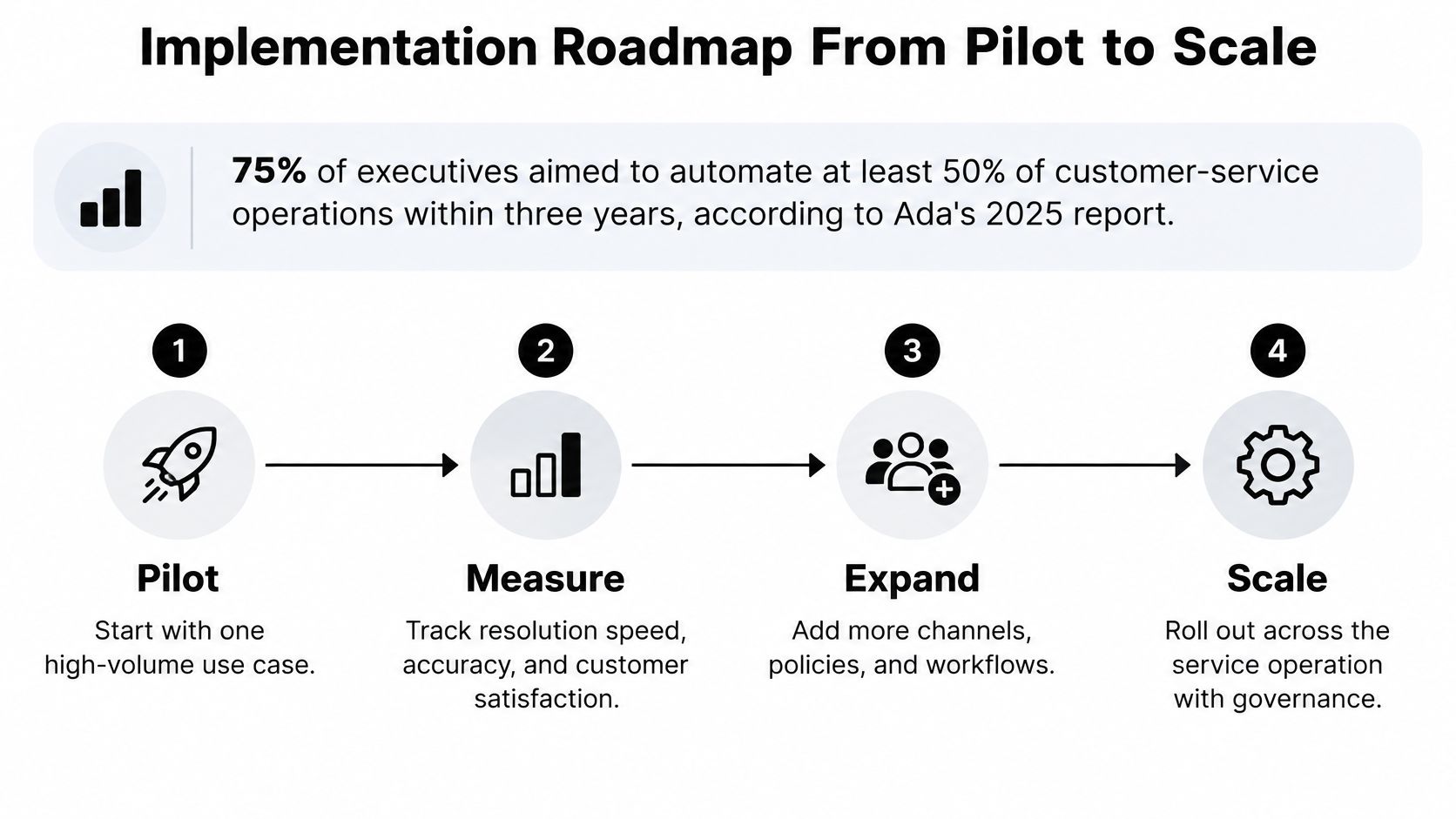
Start by choosing one pilot use case this quarter. Rank candidate intents on monthly volume, repeatability, data access, risk and channel readiness, then pick the highest scorer. Order status and appointment changes usually win because the data sits in one system, the steps are fixed and the risk of harm is low. Give that pilot one success measure you can state in a sentence. If you can't, the scope is still too wide. For a broader view of how automation programmes are structured before you commit, Doczen's enterprise service automation guide is a useful companion read.
Five Phases With Exit Criteria
- Map demand, weeks 1 to 3. Pull three to six months of contact data and rank intents by volume and repetition. Your CX operations lead owns this. The usual blocker is inconsistent tagging, so sample raw transcripts instead of trusting dashboard categories. Exit when you have a ranked intent list your team leaders agree with.
- Audit knowledge, weeks 2 to 5. Fix the articles behind your top intents, assign a named owner to each and set a review cadence. Your knowledge manager owns this, and the blocker is almost always that nobody had ownership before. Exit when every article in scope has an owner and a review date.
- Baseline and pilot, weeks 6 to 14. Capture four to six weeks of baseline KPIs first, because without a baseline you can't prove anything later. Then run one channel with a stable set of intents and an agent copilot before you automate complex cases. Set go and no-go gates on resolution accuracy, escalation pattern, CSAT and post-transfer resolution. Exit only when all four gates pass together.
- Expand, months 4 to 9. Add channels and intents in small batches, automating only workflows with stable classification, authoritative data and clear handoff rules. Your service design lead owns sequencing. Pause expansion the moment escalation quality drops or repeat contacts rise, because that signal means you've outrun your knowledge.
- Scale and optimise, ongoing. Review sampled conversations monthly and audit the knowledge base quarterly. Retire intents that no longer earn their place. This phase never ends, which is why it needs a permanent owner rather than a project team that disbands.
Pause rule: If repeat-contact rate rises while containment rises, stop expanding. You're deflecting people, not resolving anything, and more volume will make it worse.
Choosing a Provider Without Guessing
Don't select on a demo. Run a live proof of concept on your own transcripts and test five things directly. Voice quality and latency on real phone calls, not a headset in a quiet room. Multi-LLM routing and what it costs you per conversation. Retrieval grounding, by asking questions whose answers changed recently in your policy documents. Integrations, by having the AI complete an actual transaction in a sandbox copy of your CRM. Audit trails, by asking the vendor to show you exactly which source produced a specific answer.
Then get the commercial terms in writing before you sign. Written pilot scope, what counts as success, who supplies the test data, and exit terms if the gates aren't met. Our Enterprise plan pricing is obtained by contacting Yellow.ai, so ask for the full cost picture up front, including per-conversation fees, implementation and the knowledge work your own team will carry. A vendor who won't put pilot scope and exit terms in writing is telling you something about how the relationship will go.
Start narrow, measure resolution rather than deflection, and let your escalation data tell you when you're ready for the next intent. That's how a three-year ambition becomes a quarter-by-quarter programme your agents trust and your customers use.
If you're ready to put this into practice, we can help you launch AI agents across voice, chat and email that resolve routine work, support your agents with a copilot, and hand off to humans with full context intact. Tell us your highest-volume intent and we'll help you scope a pilot with clear success gates. Visit Yellow.ai to start the conversation.