










The Monday queue is already red before the first coffee cools. New hires are still hunting the refund policy, a card-block call is sitting on hold, and the dashboard only tells you how many people never reached a person. That number flatters the operation. It says nothing about whether the issue closed, whether the next agent inherited the story, or whether a wrong action created a worse call tomorrow.
An AI call center agent belongs in that picture as capacity with rules, not as a silent swap for the floor. It should own routine work, carry context when it hands off, and stay under human review after launch. Deflection is the wrong scoreboard.
Table of Contents
- What an AI Call Center Agent Is and How It Differs
- How an AI Agent Handles a Customer Conversation
- Core Capabilities That Separate Agents From Scripted Bots
- Measurable Benefits, From Faster Resolutions to Shorter Ramp Time
- Use Cases by Sector and When to Hand Off
- Governing an AI Agent After It Goes Live
- Testing Voice Accuracy Across Accents and Languages
- Confirm Your First Pilot Before Expanding Any Agent
What an AI Call Center Agent Is and How It Differs
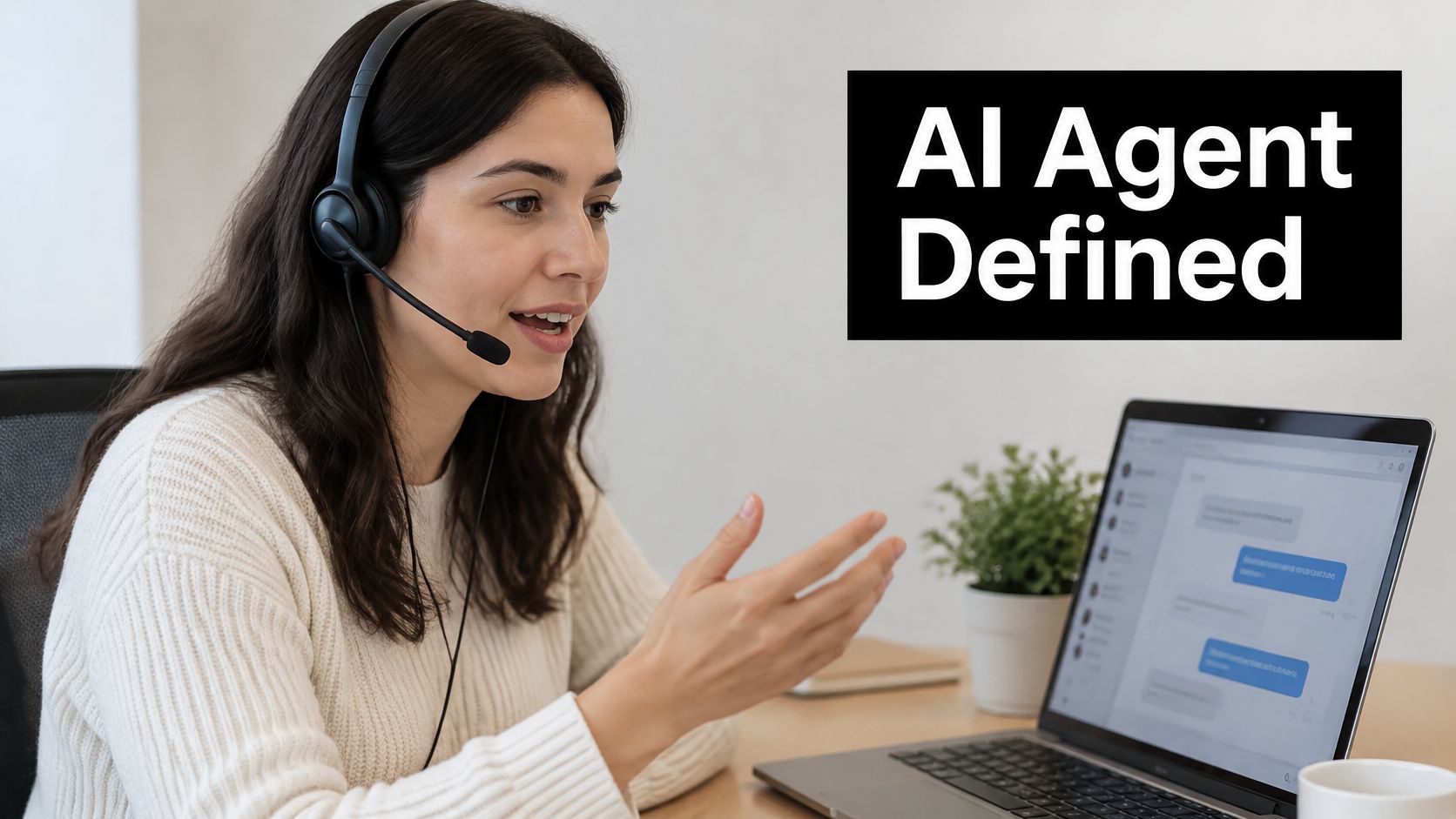
An AI call center agent is software that holds a live phone, chat, or email conversation, works out what the customer means in ordinary language, and completes tasks in the systems your business already runs. The same engine often sits behind a voice line and a text thread. One answers the phone. The other types. Both need an intent, a record, and a stop rule.
Think of the old menu as buttons on a wall. A live agent is the skilled colleague who can bend a policy. The AI agent is the front-desk employee who can also open the file and post the change, then stop when the request leaves the script.
Three ways a caller gets handled
| Criterion | IVR menu | Live agent | AI call center agent |
|---|---|---|---|
| Understands free-form speech | No, keypress or fixed phrases | Yes | Yes, within trained intents |
| Takes action in business systems | No | Yes, manually | Yes, through connected tools |
| Hours of availability | 24/7 | Limited by shifts | 24/7 by design |
| Escalation to a person | Caller waits in a queue | Not needed | Hands off with context |
| Handles call spikes | Yes | Limited by staffing | Yes, within platform limits |
| Best use | Simple routing | Complex or sensitive cases | High-volume routine requests |
The menu fails when the reason isn't on the tree. A person fails when the queue outruns the roster. The AI path fails in a quieter way: it can sound sure while the account change is wrong. That is why free speech and tool access are not the same skill. A bot that chats well and cannot write to the order system is still a brochure.
Adoption has already moved past the experiment stage. In 2025, 58% of enterprise contact centers had deployed agent-assist copilot software, up from 31% in 2023, according to figures attributed to Gartner's Customer Service Technology Survey in a Stealth Agents summary of copilot adoption. The live question is which calls the software should own, and which calls a person should take from the first second.
If you are sorting voice automation from a text bot that only answers questions, the practical split is in this comparison of an AI agent versus a chatbot.
Practical rule: List the three call types your team takes most often this week. Put each one in the column that handles it best today: menu, person, or AI agent. If you cannot name the owner, the pilot is not ready.
How an AI Agent Handles a Customer Conversation
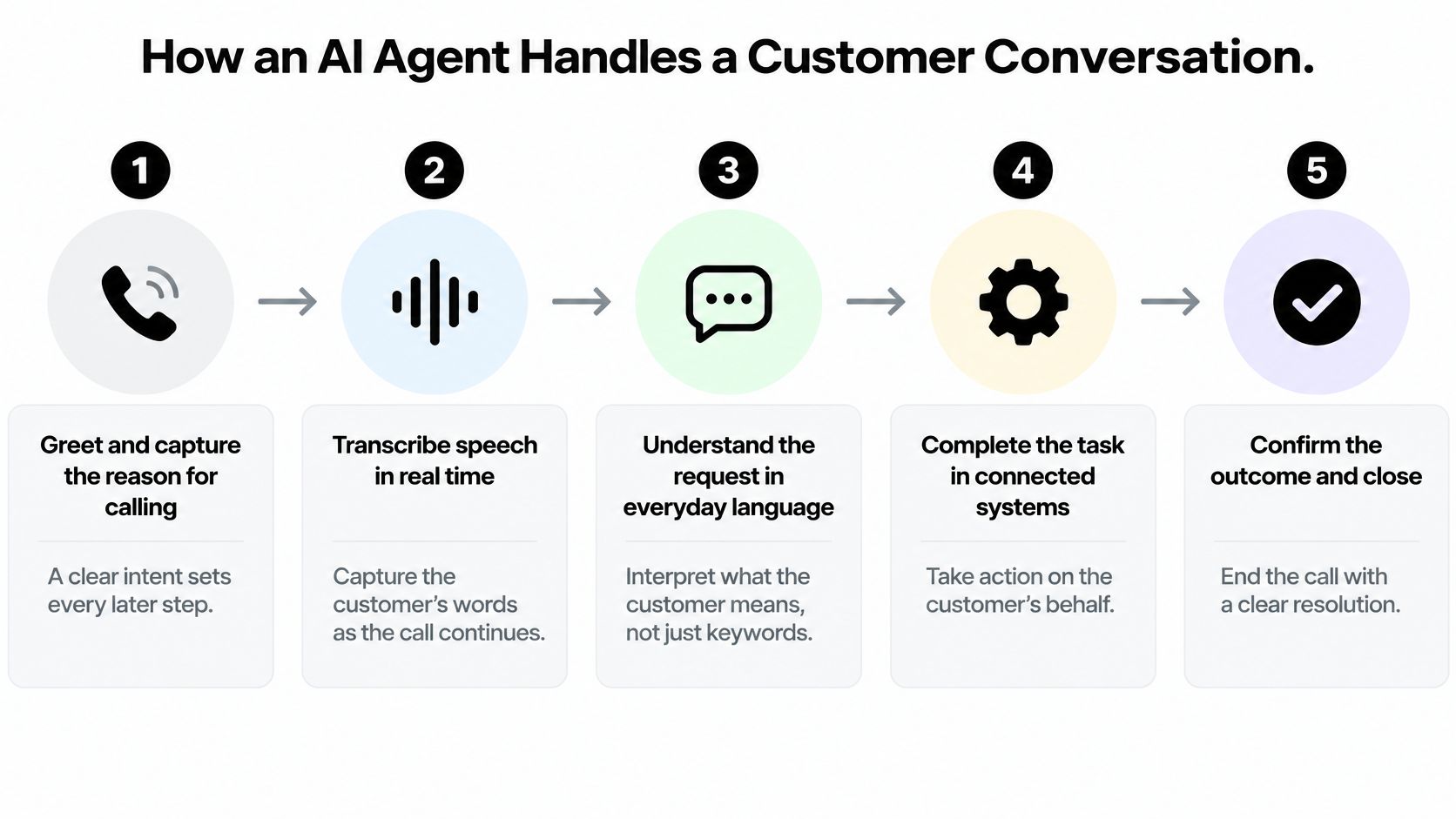
A card-block call can sound simple: the customer reports a lost card, asks for it to be blocked, and expects confirmation. The agent still has to understand the request, verify identity, make the change, and leave a record. Follow the call from greeting to resolution, watching for where errors can enter.
Greet and capture the reason. Start with a brief greeting and an open question. The caller's explanation sets the direction for the rest of the conversation. If the agent reaches for a tool before the caller finishes, it may act on the wrong request.
Transcribe while they speak. Speech recognition turns the audio into text as the call continues. If listening starts only after a full sentence, pauses can feel awkward and callers may talk over the system or hang up.
Name the intent, or ask once. “My card got eaten at the ATM” should lead to the card-block flow without a keypad menu. If the intent is unclear, ask a focused question. Guessing risks an incorrect account change.
Verify identity before any account change. Apply the identity checks required by the existing policy, then confirm the details with the caller. If verification fails, stop and hand off rather than guessing or repeatedly probing.
Call the connected tool and read what comes back. A CRM, card system, or booking calendar can return the information needed to act. The agent should speak from that result. A tool error or empty record calls for a pause and, when needed, a handoff, not an invented answer.
Confirm the action and write the summary. Tell the caller what changed, then store a concise note on the customer record. Check that the system shows the new state before closing; otherwise, the caller may hear a confirmation that the database does not support.
Resolve, or transfer with the file. If the agent cannot safely complete the request, pass the transcript, account details, and reason for transfer to a person. A useful handoff lets the customer continue without repeating the whole story.
Where connected calls still break
Fluent speech does not prove that a call was resolved. An audio-first benchmark of 100 stateful credit-card scenarios across 11 voice-agent stacks found full-call completion from 43.0% to 71.0% after callers were connected, according to the Commonplace Workforce Futures write-up of that benchmark. Failures clustered around identity checks, privacy-sensitive steps, and backend tools or database execution, rather than basic turn-taking. The evaluation also found median agent-side response latency ranging from 1.19 seconds on one stack to 15.95 seconds on another.
Measure latency at each stage: recognition, turn detection, retrieval, tool execution, and speech synthesis. Set timeouts and retry limits, and provide a human path for verification and tool failures. Judge the call by whether the issue was resolved, whether the handoff preserved context, and how serious any error was. Human oversight remains part of the operating model, not merely a temporary step before automation.
A successful call has three proofs: the customer can state the outcome, the system of record shows the change, and the note lets another person continue the case.
Core Capabilities That Separate Agents From Scripted Bots
Buyers get lost when every vendor uses the same label. Score the behavior, not the brochure.
Intent in everyday language. "My card was eaten at the ATM" should open a block flow. A scripted bot waits for "press 1" or an exact phrase. If your test script only uses the words in the help article, you have not tested intent.
Memory inside the call. After the caller gives an account number, later turns should not ask for it again. State is what stops the conversation from feeling like a form read aloud.
Writes, not only answers. Reading a balance is useful. Posting the block, the address change, or the new appointment is what separates an agent from a FAQ. Start with read-only tools, then allow a short list of writes.
Continuity, language, and the human still on the line
Multichannel continuity. A chat that becomes a phone call should keep the order number and the reason. Otherwise you paid for two contacts and solved none.
The same logic across languages. Translation coverage is not the same as equal recognition. The flow can be shared. The speech test cannot.
Frustration as a trigger. Rising negative sentiment should move the call to a person, not produce a cheerier script. Detection is a sensor. It is not empathy.
A summary after the contact. The note should name the intent, the action, and anything left open. That is the cheapest quality win in the stack, and it helps the next shift.
Agent assist beside the person. Suggested replies, a pulled policy, and a draft note help the human on a hard case. Assist is a different project from an unattended voice agent, and it should be measured on its own.
Before you sign, run four checks on a real account in a test environment. Can it verify identity? Can it act on a record? Can it hand off with context? Does every tool call land in an audit log?
Measurable Benefits, From Faster Resolutions to Shorter Ramp Time
A support team can answer more customers in the same paid hour when an assistant helps staff find and apply a resolution. The practical test is whether issues are resolved well, handoffs retain useful context, and errors stay within acceptable limits, not whether calls end sooner.
A staggered deployment of a generative assistant among 5,172 customer-support agents at a Fortune 500 business-process software company raised issues successfully resolved per hour by about 15%. Less-skilled and less-experienced employees benefited most, with some lower-performing workers improving by roughly 30%. After about two months, agents using the assistant performed at a level comparable to unaided agents with more than six months of experience. These findings are reported in the Quarterly Journal of Economics, 2025.
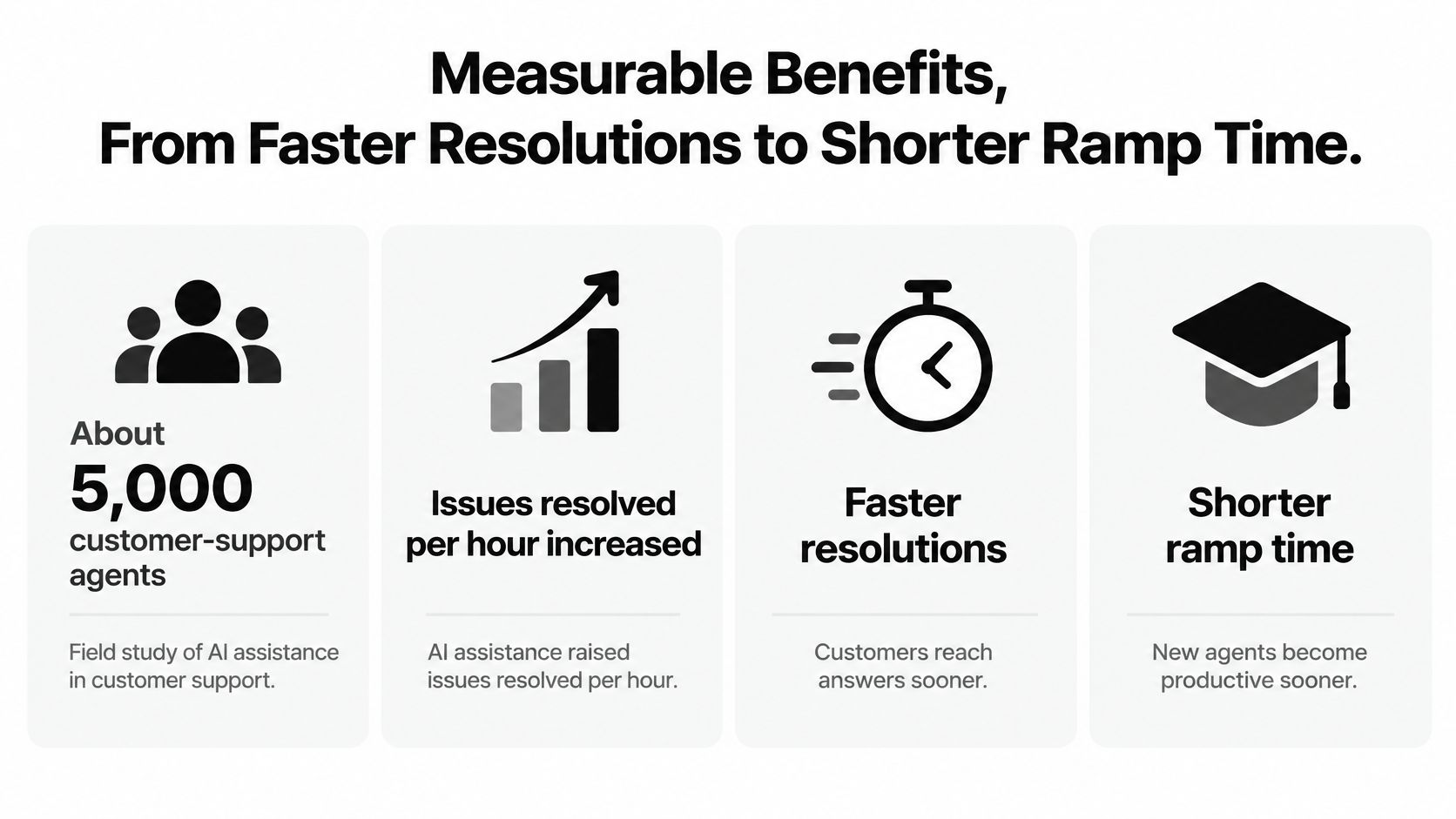
A separate working-paper analysis across more than 5,000 agents found that access to AI-generated recommendations increased chats successfully resolved per hour by 13.8%. The reported figures were about 1.7 chats per hour before access and 1.9 after, consistent with that percentage gain, according to the arXiv working paper. These results concern agent assistance during chats. They do not establish that an unattended voice agent will produce the same improvement.
Why the hour gets more productive
While a case is open, an assistant can surface a relevant resolution and reduce the time staff spend searching or second-guessing. Newer employees can apply useful phrasing and checks as they work. That is coaching in the moment, with a person still responsible for the conversation.
When the guidance is accurate and easy to use, the operational gains can include:
- Lower cost per closed issue: More resolved cases in the same paid hour, without counting abandoned contacts as wins.
- Faster ramp: New hires can reach a usable level sooner when suggested next steps reduce time spent searching.
- Coverage for routine work: Balance checks, status questions, and simple changes can be handled outside staffed shifts.
- Steadier answers across shifts: Staff can draw on the same policy text at different times of day.
Handle time remains useful for staffing and per-minute voice costs. Treat it as an operating cost, not proof of resolution. A short call that leads to a repeat contact has not delivered a good outcome. Track average handle time alongside reopen rate, resolved issues, handoff quality, and error severity.
The cited evidence concerns AI recommendations supporting human agents in a large chat deployment, not voice calls completed independently. Results may differ when the knowledge base is incomplete, inaccurate, or contradictory. Before activating an agent, record a baseline for resolutions per paid hour, first-contact resolution, satisfaction, reopen rate, and error severity, then compare performance over 30 days. Keep human oversight in the operating model: a handoff is successful when the person receives the context needed to continue, not when the automated system merely contains the contact.
Use Cases by Sector and When to Hand Off
Sort the queue before you pick a vendor. Routine work with an answer already in the knowledge base can sit with the agent. Judgment, money fights, safety, and care for a vulnerable caller start with a person.
| Sector | Typical calls handled | Hand off to a person when |
|---|---|---|
| Banking | Balance questions, card blocks, payment dates | Dispute, fraud suspicion, or failed identity check |
| Healthcare | Appointment booking, reminders, refill status | Clinical symptoms, urgent triage, or consent questions |
| Utilities | Outage reports, meter reads, billing queries | Safety hazard, disputed bill, or repeated failed fix |
| Retail and logistics | Order tracking, returns, delivery changes | Damaged goods, high-value refund, or angry customer |
| Public services | Permit status, service requests, payments | Legal appeal, vulnerable caller, or unclear eligibility |
The ownership rule
Three filters decide the owner before any pilot.
The request is routine and the answer already exists. Balance, payment date, refill status, outage report, order track, permit status. The agent may take it, then confirm the system state.
The request needs judgment. A dispute, a clinical symptom, a safety hazard, a damaged shipment, a legal appeal, or a caller who may be vulnerable. A person takes it from the start. Do not "try the bot first" on these.
The caller already failed once. A fix that did not stick, a bill that was already challenged, eligibility that is unclear. Repeating the same flow is how error severity grows.
Public-sector lines are a clean test of that split. The City of Cape Coral uses voice and chat AI agents for citizen service, which fits status, requests, and payments, and still leaves appeals and vulnerable callers with staff. On the health side, a Fortune 500 consumer health company automated support with voice AI in 60 days. Booking, reminders, and refill status are in scope. Symptoms, urgent triage, and consent are not.
Four reasons to transfer mid-call
Set these in the same design pass as the greeting.
- The caller asks for a person.
- The agent misses the same intent twice.
- Negative sentiment rises.
- The case needs a policy exception.
Every transfer carries the transcript, the account data, and the reason. If the next person has to ask "what were you calling about," the handoff failed even when the transfer connected.
Governing an AI Agent After It Goes Live
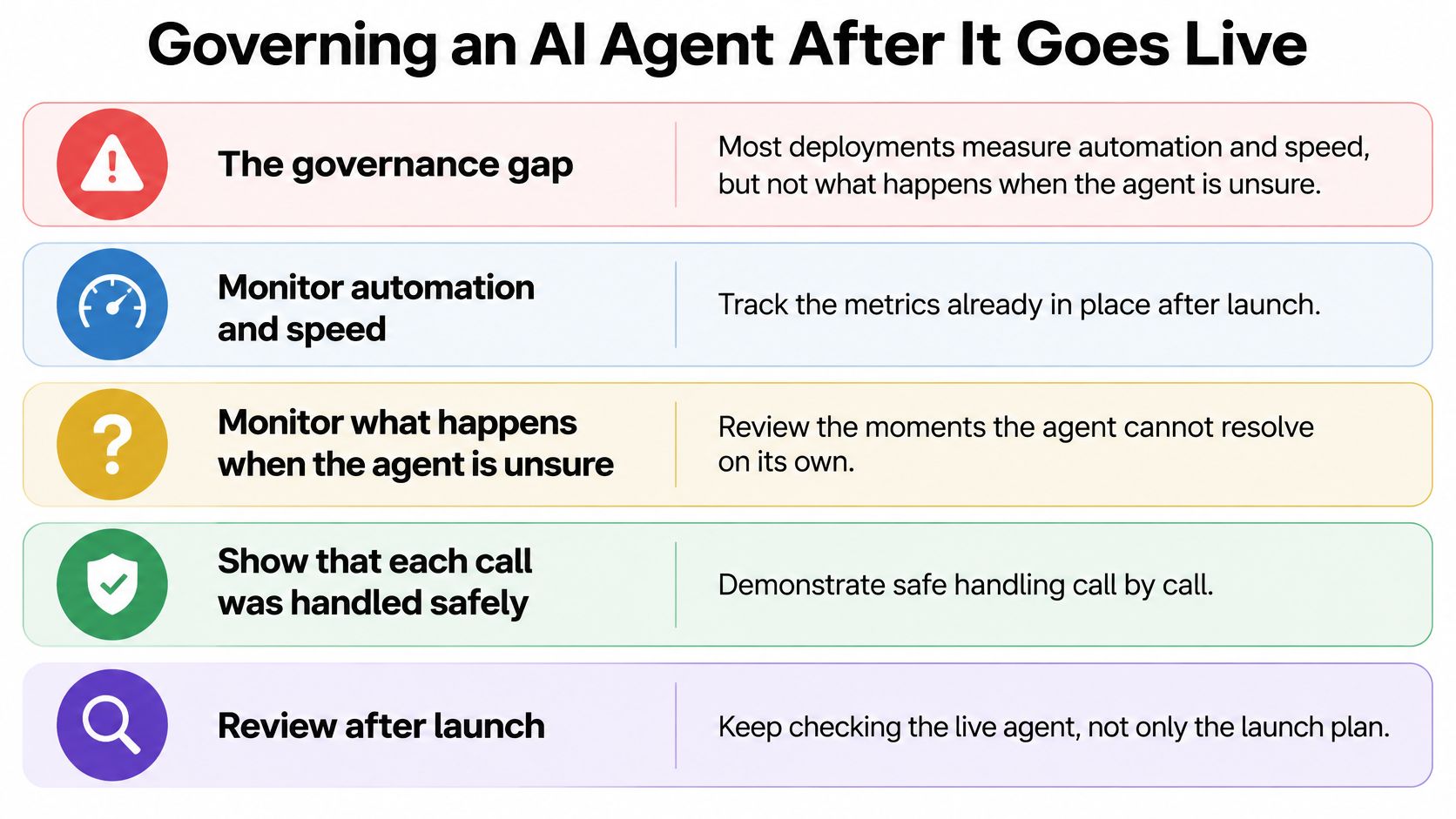
Speed dashboards do not prove a call was safe. The gap shows up when the agent is unsure, or when it acts and the action is wrong.
52.25% of surveyed organizations had limited or nonexistent analytics integration, and messy data plus incomplete handoffs from AI agents to human agents were common blockers. Separately, 67% of production agent deployments kept human-review gates. Both findings are reported in CMSWire's look at contact-center AI governance. Supervision is a launch control, not a later upgrade. A high containment rate can hide a bad write, especially in banking and healthcare.
Controls to name before go-live
- Escalation triggers: Caller request, two intent misses, rising frustration, failed identity, tool error, or any regulated step.
- Audit trail: Every read and write, with the account, the tool, the time, and the prompt or flow version.
- Confidence threshold: Below the line, the agent asks one question or transfers. It does not invent the missing field.
- Rollback: A named owner can pull a bad prompt or flow without waiting for a release train.
- Sampling rate: Humans review a set share of resolved calls and a higher share of regulated steps.
What to track on separate lines
| Metric | What it reveals | Healthy direction |
|---|---|---|
| Resolutions per paid agent hour | Productivity | Rising while repeat contacts stay flat |
| First-contact resolution | Whether the issue closes in one contact | Rising |
| Reopen rate | Accuracy of resolutions | Falling |
| Transfer rate | Handoff pressure | Stable, with context carried across |
| Customer satisfaction | Experience quality | Stable or rising |
| Error severity | Harm from wrong actions | Low, with no unreviewed actions in regulated steps |
A rising throughput number with a rising reopen rate means the operation got faster at being wrong. Grade error severity by what the customer would have to undo: a repeated question is mild, a wrong payment date is serious, an unauthorized account change is severe.
Before launch, write the five controls above into the runbook, name the person who can roll back a flow, and set the sample rate for week one higher than the steady-state rate. Human review stays in the model. It is not a phase you graduate from.
Testing Voice Accuracy Across Accents and Languages
An average accuracy score can hide a group the line fails. Five major commercial automatic-speech-recognition systems produced approximately twice the word-error rate for Black speakers compared with White speakers in a controlled study of 115 participants, as summarized in Zadarma's coverage of voice-agent risk.
That gap is operational, not academic. Missed words become repeated authentication failures, a change posted to the wrong account, a transfer the caller didn't need, or someone who hangs up. Your overall score still looks fine.
Offering more languages does not close it. A translated prompt can be perfect while the recognizer still fails on the caller's accent, pace, or a noisy mobile line. Fast speech and a weak connection move the same caller from "passed in the lab" to "failed on Tuesday."
A test plan you can run before a new market
- Build the set. Include accents, languages, speaking rates, and channel quality that match who calls you. Studio audio is not a test.
- Score each group apart. Report recognition error and task success separately. Do not publish only the blended number.
- Set the maximum gap you will ship with. If one group fails identity checks far more often, you do not launch that flow.
- Sample live calls by group. Lab passes decay. Pull production audio after launch, not only during the pilot week.
- Keep a person reachable. Every step needs a spoken path to a human that does not depend on perfect recognition.
The evidence to require before a new market is simple. Show error and task success by accent, language, pace, and line quality. Show the human-review sample. Show that escalation still works when recognition fails. A deeper pass on speech recognition accuracy belongs in that packet, next to your own caller mix.
Global scale raises the risk when the test set does not sound like the people you serve.
Confirm Your First Pilot Before Expanding Any Agent
Do not automate the queue. Automate one call type.
A first candidate has three traits: high volume, a routine request, and an answer already in the knowledge base. Order status, payment date, appointment change, and permit status usually qualify. Complaints, fraud, clinical questions, and anything that needs an exception do not.
- List the ten highest-volume call types from last month's reason codes, not from memory.
- Mark routine versus human-from-the-start using the sector rules you already set. If a type is mixed, split it. "Billing" is not one intent.
- Write the baseline for resolutions per paid hour, first-contact resolution, satisfaction, reopen rate, and error severity. No vendor slide replaces that page.
- Pilot one type on one channel with identity checks, the four handoff triggers, an audit trail, and a human-review sample already running.
- After 30 days, compare those baselines. Check full-call completion and error rates by caller group before you add a second type or a second channel.
Our agents can automate a large set of routine queries, on the order of a thousand distinct ones, and transfer only complex queries to live agents with context. Agent assist can keep a person on specific hard cases, including when sentiment turns. The same agents run on voice and calls, text and chat, and email. Score that design, and every alternative, on resolved issues, handoff quality, and error severity. If a platform's demo never shows a failed identity check, you have not seen the product.
Do not adopt a vendor figure as your baseline. This week, pull the call-type report and write your five baseline numbers down before anyone proposes a second use case.
Yellow.ai builds enterprise AI agents that answer, act, and resolve routine contact-center work across voice, chat, and email, then hand complex cases to your team with context still attached. If you are ready to pilot one call type against resolutions, handoff quality, and error severity rather than containment, visit Yellow.ai and map that first flow with us.