













A customer calls your support line during a payment failure. The voice agent greets them quickly, but then pauses after every answer. The transcript appears in bursts. The verification step takes too long. The customer repeats themselves, gets frustrated, and asks for a human. Your containment metric drops, your queue length rises, and what looked like an AI success on paper starts behaving like a service bottleneck in production.
That scenario is common because many enterprises still treat performance as a backend tuning exercise. In agentic AI, it isn't. Performance lives across the whole journey: speech recognition, model routing, retrieval, policy checks, orchestration, API calls, UI rendering, and voice playback. If any one of those layers drags, the user experiences the system as slow. They don't care which component caused it.
For CX and EX leaders, that changes the conversation. Performance optimization is no longer about making infrastructure teams happy. It's about protecting trust, controlling service costs, and making automation feel natural enough that people use it.
Table of Contents
- When Fast Isnt Fast Enough The True Cost of Lag in AI
- Measuring What Matters The Four Pillars of AI Performance
- Diagnosing Common Performance Bottlenecks
- Architectural Strategies for Scalable Performance
- Testing and Monitoring for Continuous Improvement
- The Leaders Playbook for AI Performance
When Fast Isnt Fast Enough The True Cost of Lag in AI
A slow FAQ page is annoying. A slow agentic workflow is expensive.
When someone interacts with an AI agent, they're not judging isolated services. They're judging the full conversation. In chat, that means time to first response, follow-up speed, and whether the interface stays responsive. In voice, the bar is even higher. Pauses feel awkward. Turn-taking breaks. A natural conversation starts sounding machine-led.

Latency shows up as customer doubt
We've seen enterprise teams focus on model quality while underestimating response pacing. That's a mistake. A correct answer that arrives too late still feels unreliable. In customer support, users start interrupting the bot, repeating information, or abandoning self-service altogether. In employee service, they stop trusting the assistant for HR, IT, or policy workflows and go back to tickets, email, or internal chat escalation.
That cost moves quickly across the business:
- Trust drops first: Users assume the system is confused, even when the answer is technically correct.
- Channel switching follows: Customers move from AI to live agents. Employees move from self-service to helpdesk.
- Operational load climbs: Slow conversations are longer conversations, and longer conversations consume more infrastructure and support capacity.
Slow AI rarely fails in one dramatic moment. It fails by making every interaction feel slightly harder than it should.
The broader business case for performance optimization is already visible in web performance analytics. WPO Stats reports that enhanced vitals such as page load time and responsiveness resulted in a 53.4% increase in revenue per visitor, a 33.1% increase in conversion rate, and a 15.2% increase in average order value, while also leading to a 35.1% reduction in support tickets. The lesson applies directly to conversational AI. Faster systems reduce friction, and lower friction changes both revenue outcomes and service costs.
What leaders often underestimate
Most lag in AI programs doesn't come from one dramatic engineering mistake. It comes from cumulative delay across many small steps: retrieval that takes too long, a model that's oversized for the task, one slow CRM call, a speech layer that adds dead air, or a frontend that waits for the full answer instead of streaming.
Three patterns usually make this worse:
- Treating every query like a hard query. Not every interaction needs the most powerful model or the deepest retrieval path.
- Optimizing internal metrics only. A team celebrates backend gains while the user still experiences awkward pauses.
- Fixing the wrong layer. More compute won't help if the actual delay sits in an approval API or a voice pipeline.
Performance optimization works when leaders treat it as a service design discipline. The question isn't just “How fast is the model?” It's “How fast does the experience feel, and what business outcome improves when it does?”
Measuring What Matters The Four Pillars of AI Performance
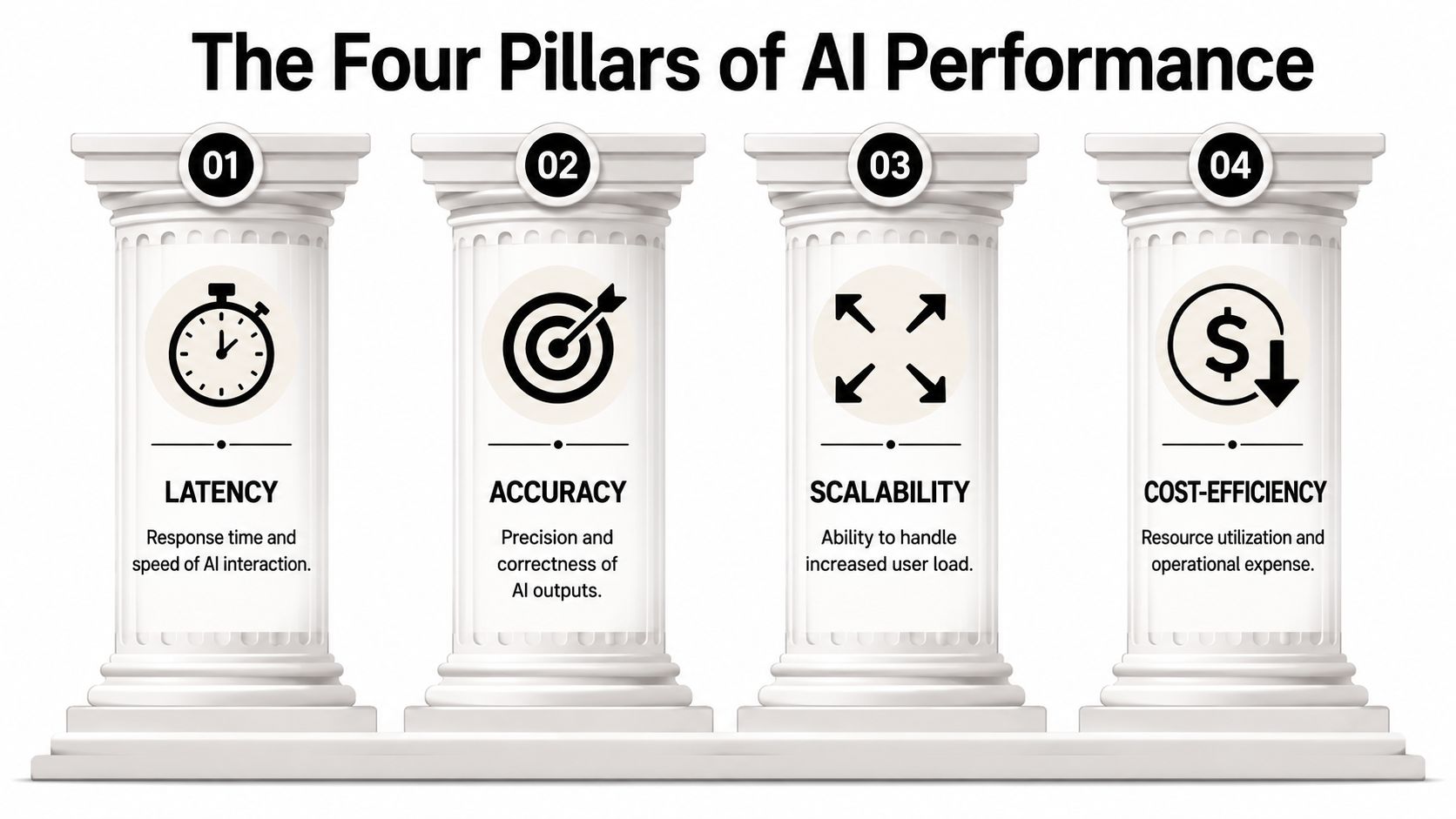
Latency is a common starting point for optimization because it's visible. That's useful, but incomplete. For enterprise AI, we use a broader lens. A high-performing agent isn't just fast. It resolves, scales, and stays accurate under load.
Consider a contact center floor. One fast agent who gives wrong answers isn't useful. A room full of smart agents that collapse during peak demand isn't useful either. Performance optimization needs a balanced scorecard.
Pillar one interaction latency
This is the speed users feel. In chat, measure time to first token, full response completion, and UI render delay. In voice, include ASR response, orchestration delay, model generation, and TTS start time.
A useful leadership question is simple: where does the user wait in silence?
If your team already tracks conversational journeys, tie this to AI analytics visibility so latency isn't viewed in isolation from drop-off, containment, and escalation behavior.
Pillar two resolution time
An agent can respond quickly and still waste time. Resolution time measures the full path from first message to successful outcome. That includes handoffs, retries, clarification prompts, and backend transaction completion.
Many AI programs optimize for response speed while ignoring task completion speed. A fast greeting followed by six unnecessary turns is still poor performance.
Shorten resolution time by looking at:
- Turn efficiency: Are users reaching the goal with fewer back-and-forth exchanges?
- Backend completion: Are API calls, case updates, and approvals closing cleanly?
- Recovery paths: Does the agent correct itself quickly when confidence is low?
Here's a practical walkthrough that complements the KPI framework:
Pillar three throughput
Throughput is your system's ability to handle many simultaneous interactions without degrading quality. Leaders often discover this only after launch, when a campaign, outage, or seasonal spike hits and the agent becomes inconsistent.
A few signs throughput is the hidden issue:
| Signal | What it usually means |
|---|---|
| Responses slow only during peak windows | Capacity planning is too shallow |
| Voice quality degrades before chat quality | Speech services or media handling are saturating first |
| RAG accuracy falls during high concurrency | Retrieval or vector infrastructure is under pressure |
Throughput is where architectural decisions start showing up as business risk. If the system can't absorb spikes, customer experience becomes unpredictable.
Pillar four accuracy and relevance
The fastest wrong answer is still wrong.
Accuracy in agentic AI includes retrieval quality, policy adherence, grounding, and action correctness. For CX, that affects resolution, compliance, and brand trust. For EX, it affects whether employees trust the assistant enough to use it for sensitive or high-friction workflows.
Practical rule: Track speed and answer quality together. Teams that separate them often optimize one at the expense of the other.
When these four pillars are measured together, performance optimization becomes a board-level discussion. You're no longer talking about milliseconds alone. You're talking about service capacity, cost-to-serve, user trust, and whether AI is delivering enterprise value.
Diagnosing Common Performance Bottlenecks
The fastest way to waste engineering effort is to optimize the wrong thing.
Performance optimization in software depends on identifying the actual bottleneck and fixing that specific constraint. ScienceDirect's overview of performance optimization describes this clearly: teams need to identify the performance bottleneck, the resource constraining computation, because improvements elsewhere produce negligible gains. In practice, that means profiling before tuning, not after.
Read the symptom before touching the stack
In enterprise AI, the user experience often tells you where the bottleneck lives.
If the delay comes right after the user finishes speaking, the issue may sit in ASR, model inference, or voice orchestration. If the first answer is quick but task completion drags, the issue is often retrieval quality, decision logic, or downstream systems. If the agent responds well until traffic spikes, you may be looking at throughput or queueing constraints.
That's why we encourage teams to diagnose by interaction signature, not by vendor component list.
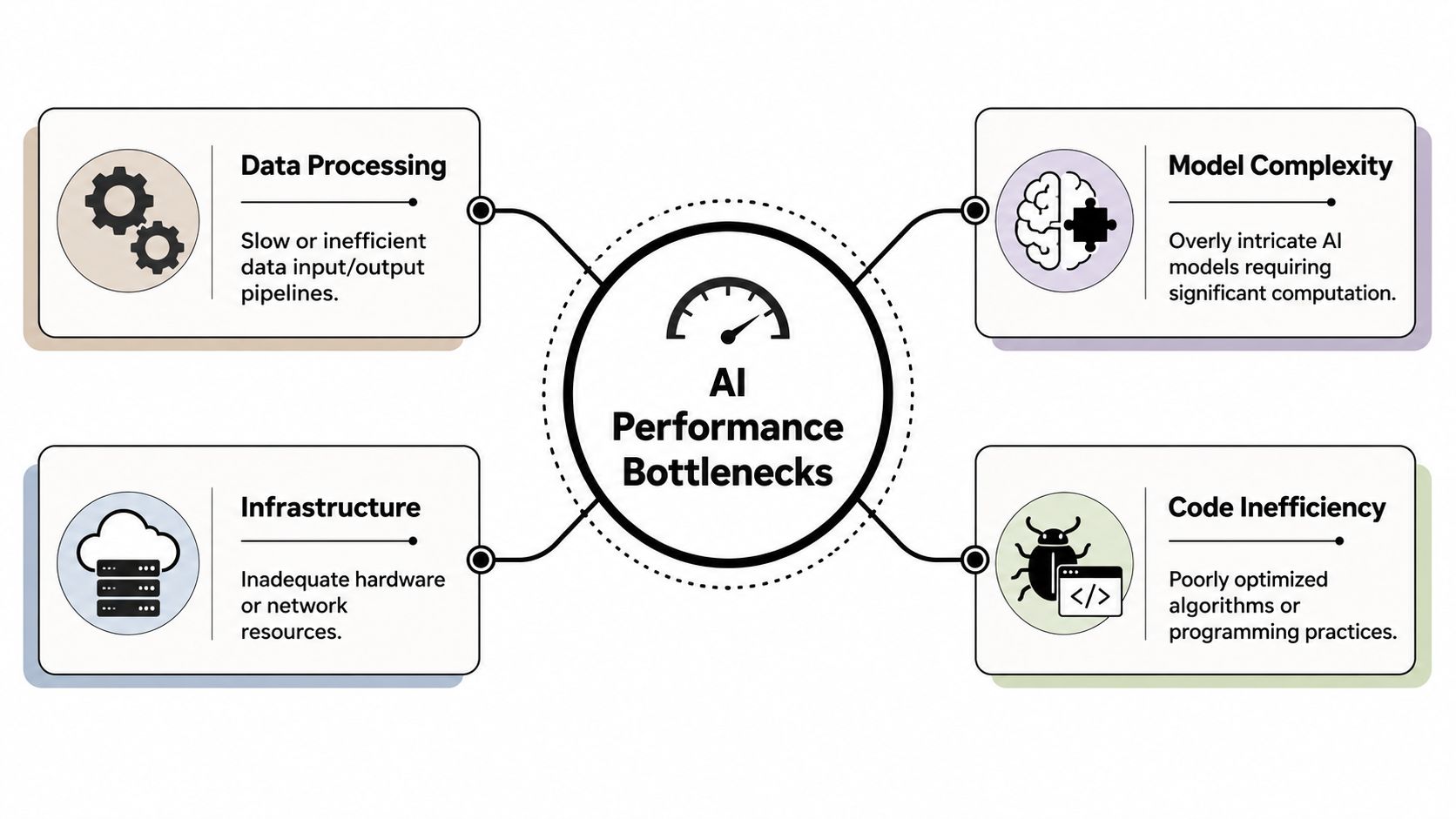
The four bottlenecks we see most often
LLM inference latency
This is the “thinking pause.” Large models can improve reasoning, but they also add delay, especially when prompts are oversized, tool calls are stacked, or every query goes to the most capable model by default.
Common causes include:
- Overbuilt prompts: Too much policy, history, or instruction text sent every turn
- Heavy models for simple work: Using one large model for classification, summarization, retrieval reasoning, and final response
- Serial tool execution: Making the model wait on one tool before deciding whether to call the next
RAG slowdowns
Retrieval problems rarely look like retrieval problems to the user. They look like hesitation, irrelevant responses, or too many clarification questions.
Slow RAG often comes from poor chunking, overly broad search, weak ranking, or a knowledge base that forces the system to search too much before responding. It also shows up when the model has to recover from noisy retrieval.
If your team is also dealing with inconsistent prompt behavior, this is where prompt reliability work matters. Drift and latency often reinforce each other, especially in multi-step orchestration. This explanation of AI agent drift and prompt reliability is useful for teams connecting response quality to system performance.
Voice processing delays
Voice exposes problems that chat can hide. A voice user notices every extra pause. Small delays between ASR, NLU, model selection, and TTS create robotic turn-taking, even when each component looks acceptable on its own dashboard.
In voice systems, naturalness is a performance metric. If the pauses feel wrong, the experience is wrong.
Legacy integration drag
Many enterprise teams blame the model when the actual bottleneck sits in internal systems. CRM lookups, order management calls, identity checks, and approval workflows often dominate total resolution time.
This is the least glamorous bottleneck and often the most important. A conversational layer can only move as fast as the systems behind it.
When teams diagnose performance correctly, optimization gets simpler. You stop debating abstract speed and start fixing the exact part of the stack that the user is waiting on.
Architectural Strategies for Scalable Performance
Once the bottleneck is clear, architecture becomes a lever, not a diagram.
The strongest enterprise systems don't rely on one optimization trick. They combine routing, caching, model tuning, and deployment choices into a coordinated design. That matters even more for agentic AI, where one workflow may involve an LLM, retrieval, policy logic, speech services, and multiple enterprise APIs in a single turn.
Use architecture to shape response time
Dynamic multi-LLM routing is one of the highest-impact choices. Simple tasks like intent classification, short answers, guardrail checks, or workflow steering don't need the same model as a complex policy explanation or a multi-document synthesis step. Routing by task type reduces latency and cost without lowering quality when it's done carefully.
Caching remains underrated in AI systems. Teams often think of caching only for webpages, but it matters across conversational AI too: repeated knowledge responses, customer profile fetches, prompt fragments, tool outputs, and session context enrichment can all be cached selectively. What doesn't work is naive caching that ignores freshness, permissions, or personalization.
Model optimization also matters, particularly at the edge. A 2025 study summarized by ScienceDirect found that targeted optimization can reduce AI model inference latency by up to 60% and enable deployment in low-resource environments. The enterprise lesson is broader than healthcare. If you want voice AI, field operations support, or mobile workflows to perform well outside ideal cloud conditions, smaller and better-tuned models matter.
Edge versus cloud placement is another real trade-off. Putting everything in the cloud simplifies management, but it can add network distance and dependency. Moving some speech, classification, or orchestration closer to the user can improve responsiveness. The trade-off is operational complexity, deployment discipline, and governance.
Some teams also adopt platform-level controls that bring these strategies together. For example, Yellow.ai supports analytics, automated testing, and agent performance workflows inside the broader conversational stack. That kind of consolidation can help teams reduce handoff friction between observability and optimization, but it still requires clear architectural choices underneath.
Comparison of Performance Optimization Techniques
| Technique | Primary Benefit | Best For | Consideration |
|---|---|---|---|
| Dynamic multi-LLM routing | Balances speed, cost, and answer quality | Mixed workloads with simple and complex tasks | Requires strong routing logic and fallback design |
| Response and data caching | Cuts repeat computation and lookup time | High-volume repetitive interactions | Must respect freshness, permissions, and personalization |
| Model optimization | Faster inference on constrained infrastructure | Edge deployments, voice, mobile, field use cases | May require trade-offs in capability or retraining effort |
| Edge deployment | Reduces network-induced delay | Real-time voice or low-connectivity environments | Increases deployment and governance complexity |
| Backend workflow redesign | Reduces end-to-end resolution time | API-heavy enterprise processes | Often depends on cross-team system ownership |
The best architecture for performance optimization is rarely the most sophisticated one. It's the one that removes delay from the path the user actually takes most often.
What doesn't work is copying architecture patterns from generic AI demos. Enterprise performance comes from fitting model choice, retrieval depth, API orchestration, and interface behavior to the specific service journey you're trying to automate.
Testing and Monitoring for Continuous Improvement
Performance isn't something you “finish.” It drifts.
Agentic systems change when prompts change, when a retrieval corpus changes, when a vendor model update lands, when a downstream API slows, or when conversation volume shifts. That's why manual testing breaks down so quickly. A few scripted checks won't catch the combinations that matter in production.
Manual testing breaks first
Traditional QA assumes deterministic behavior. Agentic AI doesn't behave that way. The same workflow can vary based on user phrasing, retrieval outcomes, external system state, and model routing decisions.
That creates two risks:
- False confidence before launch: Teams test a handful of golden paths and miss high-friction edge cases.
- Silent regressions after launch: A model or retrieval change degrades speed or quality without triggering obvious functional failures.
In this context, continuous testing becomes part of performance optimization, not a separate workstream. If your team is still relying on manual spot checks, it's worth looking at automated testing for AI agents to validate performance and reliability across many conversation paths.
What a real performance loop looks like
The most practical model is a loop: profile, improve, benchmark, compare. That sequence is explicit in the performance loop talk referenced here, which also stresses that benchmarks should use input values from actual production cases on hot paths. That's the key point. Synthetic tests that don't resemble real traffic usually produce clean charts and weak decisions.
A durable operating rhythm looks like this:
- Profile production behavior to establish baselines for latency, throughput, and workflow completion.
- Improve one bottleneck at a time so the effect of the change is visible.
- Benchmark with realistic cases drawn from common production paths, not abstract samples.
- Compare statistically so teams can distinguish real gains from noise.
The same source notes that tools such as Go's benchstat can analyze multiple runs to confirm improvements and regressions with confidence. The broader lesson applies beyond Go. Performance claims need repeated measurement and disciplined comparison.
A strong monitoring setup should also include:
- Real-time alerts: Trigger when latency or failure patterns move outside acceptable thresholds.
- Segmented views: Separate chat from voice, simple flows from action-heavy flows, and peak-hour behavior from baseline periods.
- Release-level accountability: Every deployment should be evaluated against performance baselines, not just functional pass criteria.
If you can't tell whether the last release made the agent faster or slower, you don't have a performance program. You have guesswork.
Teams that do this well don't treat monitoring as passive reporting. They use it to make every release safer, faster, and more predictable.
The Leaders Playbook for AI Performance
Enterprise leaders usually don't need another list of tuning tactics. They need an operating model.
That's especially true in agentic AI, where performance depends on more than model speed. It sits at the intersection of algorithmic choices, hardware alignment, and external system behavior. That challenge is called out in this discussion on agentic AI optimization principles, which notes that existing guidance rarely brings these factors into one unified strategy. For CX, EX, and IT leaders, that gap is where programs stall.
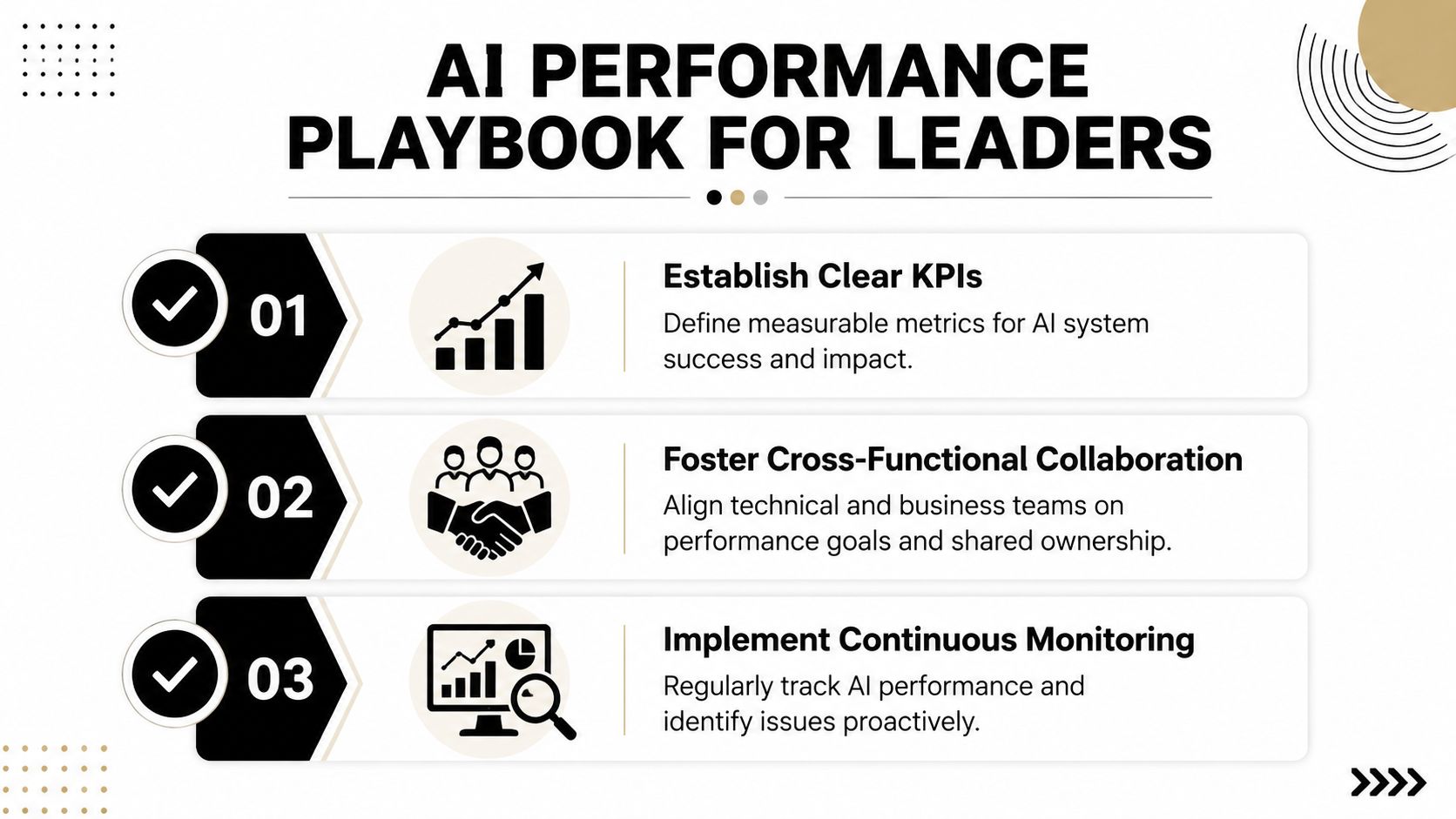
Build one operating model for speed and quality
The first move is organizational, not technical. Create shared ownership across CX or EX leaders, platform engineering, enterprise architecture, support operations, and security. If performance belongs only to infrastructure, you'll optimize compute but miss service outcomes. If it belongs only to product, you'll define expectations without the means to enforce them.
A cross-functional team should own three things together:
- User experience standards: What counts as responsive enough for chat, voice, and employee workflows
- Business priorities: Which journeys matter most for revenue protection, containment, or service efficiency
- Technical levers: What routing, caching, retrieval, and integration changes are available
That shared model is what keeps speed, accuracy, and cost from becoming competing agendas.
Set a performance budget before scale exposes the gaps
Leaders should define a performance budget for their AI estate. That budget isn't just about infrastructure spend. It's the set of acceptable limits for interaction latency, resolution time, throughput behavior, and answer quality.
Without this, every team optimizes in its own direction. One team chooses a larger model for quality. Another increases retrieval depth. Another adds more compliance checks. Each decision looks rational on its own, but together they create a slower system.
Your budget should answer questions like:
| Decision area | Leadership question |
|---|---|
| Speed | How much delay is acceptable before voice feels unnatural or chat feels stalled? |
| Accuracy | Which workflows require stricter grounding or policy validation even if speed drops slightly? |
| Scale | What happens to experience during spikes, campaigns, or outages? |
| Cost | Which interactions justify premium model usage and which do not? |
A performance budget gives technical teams permission to make trade-offs deliberately rather than defensively.
Prioritize fixes by business impact
Not all bottlenecks matter equally. Some affect a small internal workflow. Others damage top contact drivers or high-value customer journeys.
A practical prioritization method is:
- Find the highest-volume friction point
- Estimate its service impact
- Fix the narrowest bottleneck that changes the experience
- Measure the result in operational and user terms
For example, if account verification is slow because of a backend dependency, tuning prompts won't help. If voice pauses come from serialized tool calls, adding more retrieval depth won't help. The point is to focus effort where performance changes the business outcome.
Leaders get better results when they ask, “Which delay creates the most friction for the most important journey?” instead of, “Which system is technically slowest?”
Govern agentic AI as a system not a set of tools
On the basis of this, mature teams separate from experimental ones. Governance for AI performance has to include:
- Model policy: Which models are allowed for which tasks
- Prompt and retrieval controls: How prompt changes, corpus updates, and ranking logic are reviewed
- Integration standards: Which APIs are fit for synchronous conversational use and which need redesign
- Release gates: What performance regressions block deployment
- Observability ownership: Who responds when production latency rises and how quickly
That governance matters because agentic workflows are now multi-modal and multi-system. A voice conversation may involve ASR, an orchestrator, a retrieval layer, two models, a CRM action, and a TTS engine in one interaction. Managing each component well is necessary. Managing them as one service is what improves outcomes.
The strongest programs also make architecture an executive choice, not a hidden engineering preference. Leaders should know when their teams are trading speed for accuracy, cloud simplicity for edge responsiveness, or lower cost for lower headroom under peak load.
Performance optimization becomes strategic when it changes how the enterprise designs service. It affects whether customers stay in self-service, whether employees trust automation, whether support teams can absorb spikes, and whether AI creates an advantage or just adds complexity.
The practical playbook is straightforward:
- Establish shared ownership
- Define a performance budget
- Prioritize by journey impact
- Choose architecture intentionally
- Govern continuously
That's how performance optimization stops being an IT cleanup task and becomes part of enterprise AI strategy.
Yellow.ai helps enterprises design, test, monitor, and optimize agentic AI across chat and voice journeys. If your team is working to improve CX or EX performance across models, retrieval, orchestration, and user experience, explore Yellow.ai to evaluate how it fits your operating model.



