













A customer calls about a failed payment while an employee submits an urgent access request to HR. In both cases, the enterprise already has software that can display the right dashboard, search the relevant record, and present a recommended answer. The human still has to move between systems, interpret the request, decide what's allowed, and complete the workflow.
That model is changing. AI agents for enterprise are designed to work toward an outcome, not merely produce a response. A service agent can understand a request, retrieve supporting information, update a system, follow a policy, and escalate when its authority ends. An employee-service agent can handle a benefits question, check an eligibility rule, and initiate the next approved step through the same conversation.
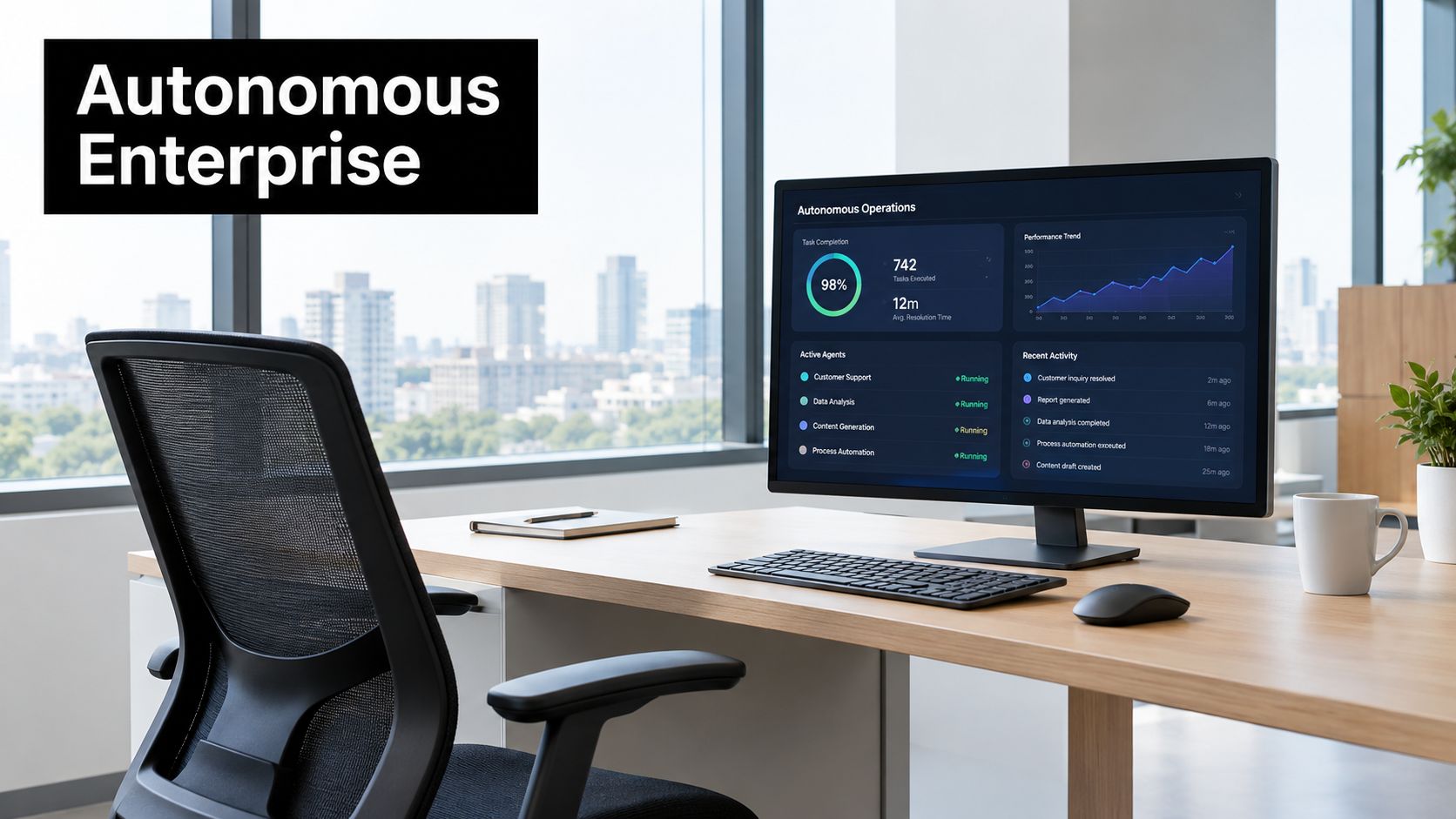
Table of Contents
- Introduction to AI Agents for Enterprise
- What Enterprise AI Agents Are and How They Work
- Core Components That Power Enterprise AI Agents
- Business Benefits and Real World Applications Across CX and EX
- Deployment Models Integration and Omnichannel Orchestration
- Governance Security and Why Most Pilots Fail to Scale
- How to Evaluate and Choose AI Agents for Enterprise
Introduction to AI Agents for Enterprise
Traditional SaaS gives people tools to operate. The emerging autonomic enterprise gives software a bounded role, access to approved tools, and responsibility for completing parts of a process. That distinction matters for both customer experience and employee experience. Customers want resolution rather than another menu, while employees want a direct answer or completed request rather than a search through several internal portals.
Enterprise adoption has moved beyond isolated experimentation. McKinsey's 2026 global survey reports that 40% of respondents from large organizations with more than $1 billion in annual revenue are already scaling AI agents, up from 27% the prior year, while 44% of all respondents say AI is scaling across their enterprise, up from 38% a year earlier, as summarized in McKinsey's 2026 enterprise AI agent adoption data. The signal is clear, but the operational question is harder: can an agent work safely inside the systems and policies that run the business?
A contact center example
A customer contacts a bank through voice, then sends a document through chat. A conventional bot may answer each interaction separately. An enterprise agent can preserve the relevant context, identify the customer's intent, retrieve the account policy, validate what it's permitted to do, and hand the case to a human with a structured summary if an exception appears.
The same pattern applies in HR. An employee asks about parental leave, follows up by email, and later requests a status update. The agent needs more than language fluency. It needs grounded knowledge, identity awareness, workflow access, escalation rules, and a record of what it did.
Practical rule: Treat an agent as an operational participant with defined authority, not as a smarter chat window.
This guide builds the subject progressively. It starts with the mental model, then examines the architecture, business applications, deployment choices, production blockers, and evaluation criteria. The focus stays on the last mile, where integration, identity, monitoring, and ownership determine whether a promising pilot becomes a dependable enterprise capability.
What Enterprise AI Agents Are and How They Work
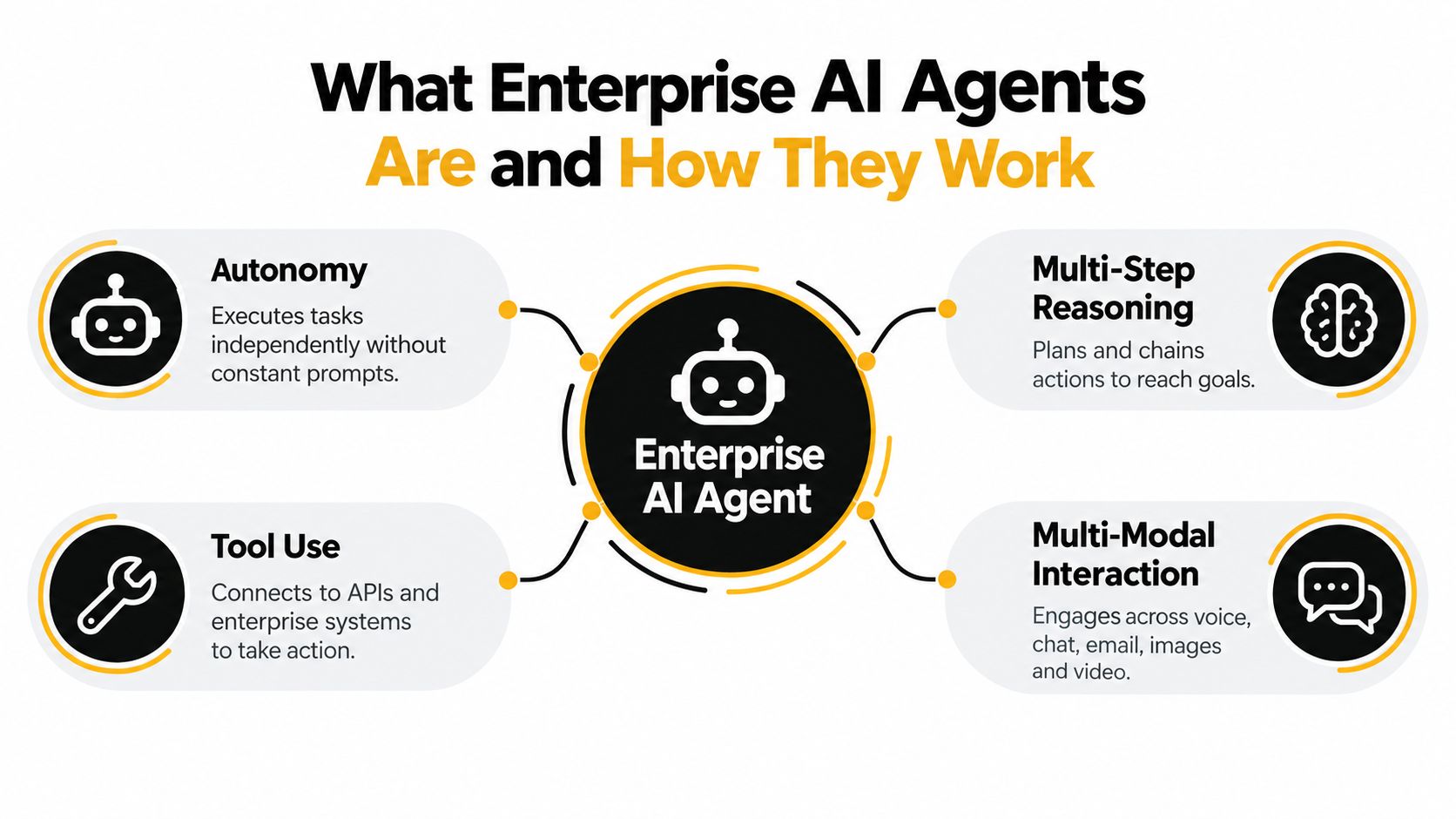
An enterprise AI agent combines four abilities that are often confused with ordinary conversational AI:
- Autonomy, it can pursue an assigned goal without requiring a new prompt for every step.
- Multi-step reasoning, it can plan and sequence actions.
- Tool use, it can call approved APIs, databases, workflows, or business applications.
- Multi-modal interaction, it can work across voice, chat, email, images, and video.
A useful way to understand the system is through three simple ideas: eyes, hands, and authority.
Eyes, hands, and authority
The agent's eyes are its perception layer. It interprets language, speech, documents, images, conversation history, and business context. The eyes don't grant permission. They help the system understand what the user is asking and what information may be relevant.
The agent's hands are its tools. These may include a CRM lookup, a ticketing action, a payment-status check, an HR workflow, or a knowledge search. A tool call turns an answer into an action, but it also creates an integration and security boundary.
Its authority defines what it may do. The agent might be allowed to check an order, but not issue a refund above a policy threshold. It might draft an access request, but require human approval before changing a privileged role. Without explicit authority, autonomy becomes uncontrolled automation.
How an agent completes a task
A production agent typically follows a loop:
- Interpret: Identify the user's goal, constraints, and urgency.
- Plan: Select the steps needed to reach the goal.
- Retrieve: Find relevant policy, customer, employee, or transaction data.
- Act: Call tools in an approved sequence.
- Verify: Check whether the action succeeded and whether the result satisfies the request.
- Escalate: Transfer control when confidence, policy, or authorization is insufficient.
A copilot usually assists a person who remains responsible for the next action. A rule-based bot follows predetermined paths and struggles with ambiguity. An agent can adapt its path, but that flexibility makes orchestration essential. In a multi-agent design, one agent may handle intent detection, another may retrieve evidence, and another may execute a workflow. A supervisor or orchestration layer coordinates them and controls handoffs.
Watch the lifecycle in action:
The important distinction isn't whether the system sounds human. It's whether it can complete a meaningful process while remaining observable, authorized, and recoverable.
Core Components That Power Enterprise AI Agents
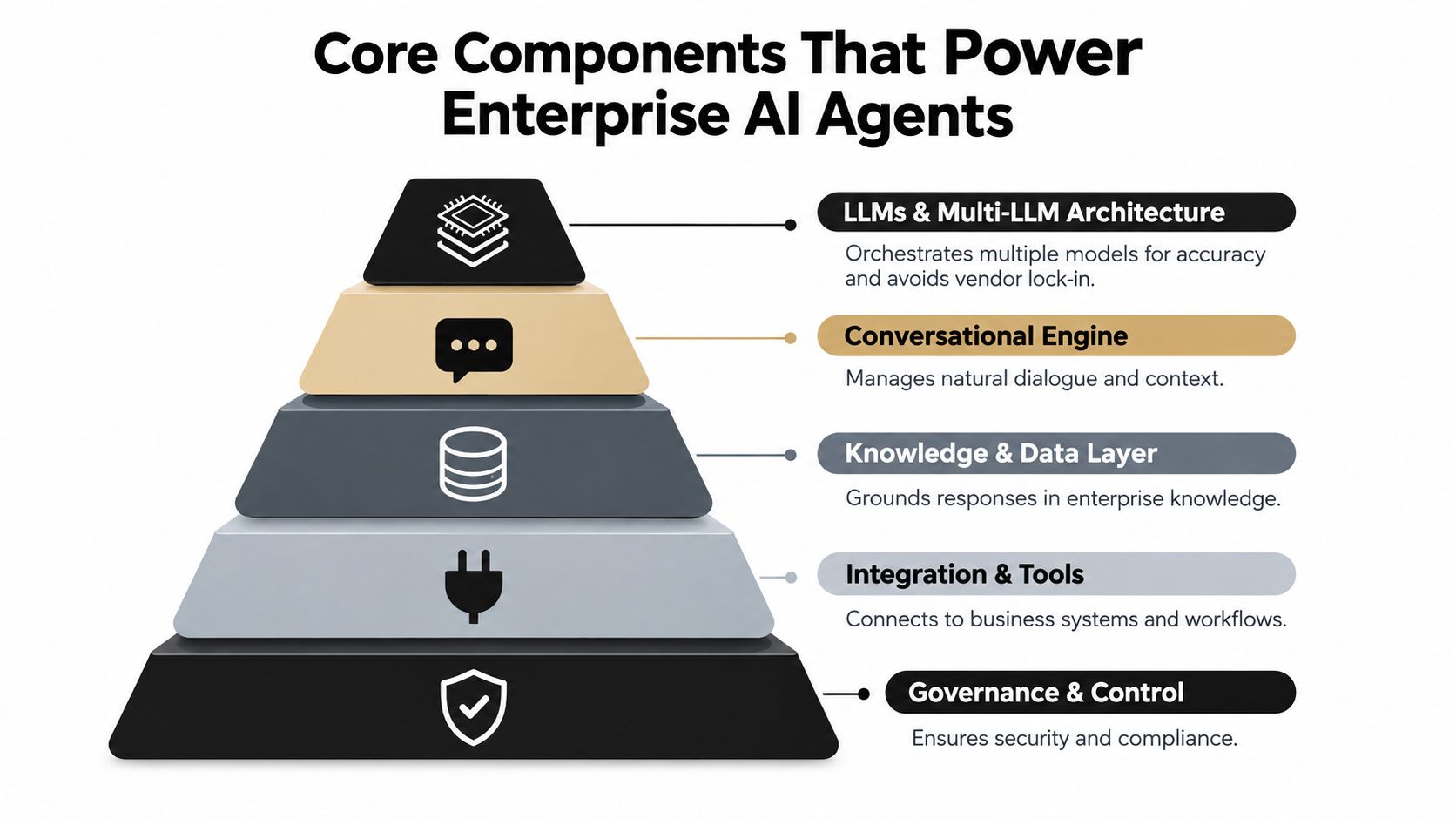
An enterprise agent is a stack, not a single model. Each layer handles a different failure mode, and weak layers can undermine a capable language model.
The model layer
Large language models provide reasoning and language generation, but enterprises often need multi-LLM architecture rather than one model for every task. A fast model may handle classification, a stronger model may manage complex planning, and a specialized model may support voice or document interpretation. Routing across models can improve fit and reduce dependence on a single provider.
The model layer still needs boundaries. It shouldn't decide which data it may access or which financial action is allowed. Those controls belong in orchestration, identity, and governance layers.
Knowledge and context
Enterprise agents need access to current, approved information. A conversational knowledge base provides the content, while agentic retrieval-augmented generation, or agentic RAG, lets the system search adaptively. Instead of making one embedding lookup, the agent can decompose a difficult question, route searches, compare evidence, and continue retrieving when the first result is incomplete.
An enterprise-oriented agentic RAG study reported 49.6% recall@1 on BRIGHT, a 21.8 percentage-point gain over the best embedding baseline, along with 0.96 factuality on WixQA and 92% answer correctness on FinanceBench, as documented in the agentic retrieval study. These results don't guarantee performance in your environment. They do show why adaptive retrieval deserves separate evaluation when answers depend on evidence synthesis.
Orchestration, memory, and analytics
The orchestration layer decides which agent, knowledge source, or tool should act next. It manages retries, approvals, fallbacks, and handoffs. Memory preserves useful context, but it must distinguish temporary conversation details from durable customer or employee records.
Analytics closes the loop. Teams need to inspect failed tool calls, abandoned conversations, escalation reasons, latency, retrieval quality, and policy exceptions. Agent Builder 2.0 can support design and deployment, while an AI Copilot can help teams inspect and refine behavior. Automated Testing should challenge the agent with ambiguous requests, missing data, policy conflicts, and repeated runs before production.
A dependable stack connects the layers deliberately. The model proposes, retrieval grounds, orchestration coordinates, tools execute, governance constrains, and analytics reveals where the system needs improvement.
Business Benefits and Real World Applications Across CX and EX
The business case for enterprise agents isn't a better conversation by itself. It's a completed outcome with less manual effort, fewer transfers, and a more consistent experience.
Customer experience in context
A utility provider can use an agent to understand a billing complaint, retrieve account information, explain the relevant policy, and create a service request. A retailer can connect an order-status conversation to inventory, shipment, and returns systems. A healthcare organization can provide appointment guidance while escalating requests that require clinical judgment.
In BFSI, an agent may gather information for a service request and route a high-risk case to a specialist. In logistics, it may coordinate shipment updates across email and voice. The value comes from connecting the conversation to the operational system, not from generating a polished paragraph.
Voice adds another dimension. A customer shouldn't have to repeat details after moving from a phone call to chat. Omnichannel orchestration can preserve the task context while adapting the interaction to the channel's strengths. Voice is useful for urgency and accessibility, while chat and email are useful for documents, confirmations, and audit-friendly summaries.
Employee experience at scale
HR and IT service desks face the same structural problem as contact centers, but the users are employees. An agent can answer policy questions, explain a payroll process, check a ticket, initiate an approved request, or route a complex issue to the right team.
That changes the employee experience from portal navigation to guided service. It also gives service teams a clearer way to separate repetitive requests from cases that need judgment.
A BPO can use agents as a controlled layer around existing workflows. The agent handles intake, classification, evidence collection, and status communication, while human specialists retain responsibility for exceptions. That model supports modernization without requiring every process to be redesigned at once.
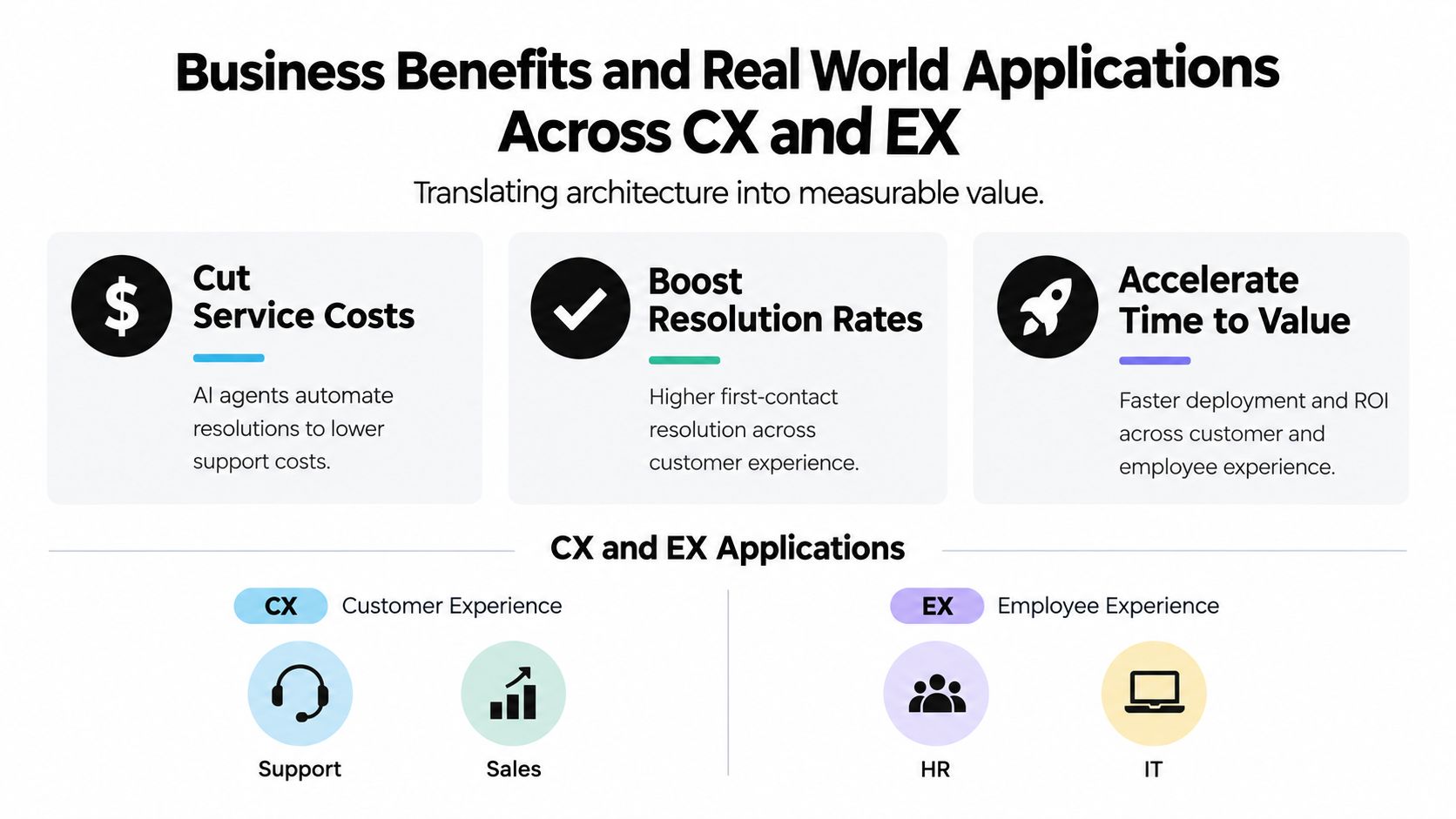
- Cut service costs: Automate eligible resolutions and reduce repetitive handling.
- Boost resolution rates: Keep the agent connected to the records and workflows needed to complete the request.
- Accelerate time to value: Start with a bounded process, then expand after evaluation confirms safe behavior.
The strongest use case is usually not the most impressive demo. It's the workflow with clear inputs, repeatable decisions, accessible systems, and an obvious escalation path.
Deployment Models Integration and Omnichannel Orchestration
Deployment choices should follow the operating environment, not a generic preference for cloud, private infrastructure, or a particular model provider.
A managed cloud deployment can reduce platform operations and support faster iteration. It may suit organizations that can connect approved systems through controlled interfaces and meet their data-handling requirements through contractual and technical controls. A private or more isolated deployment can offer tighter environmental control for sensitive workloads, though the enterprise takes on more responsibility for infrastructure, upgrades, observability, and model operations.
A hybrid model often fits complex businesses. The agent orchestration layer may run in a managed environment while selected data, retrieval services, or business actions remain within enterprise-controlled systems. The design should specify where prompts, retrieved content, conversation history, tool credentials, and logs reside.
Integration patterns that survive legacy complexity
Legacy systems rarely fail because an agent cannot understand them. They fail because the enterprise has no stable, governed way to expose their capabilities. Teams should prioritize APIs where available, use workflow middleware when direct integration is impractical, and wrap older interfaces behind narrow services with explicit inputs and outputs.
Integration review should answer practical questions:
- Which system is authoritative for each data element?
- What happens when a tool times out or returns stale information?
- Can the action be retried safely?
- Which events require approval?
- How will the team trace an action across systems?
Platforms such as Yellow.ai Agent Builder can support no-code and low-code agent design, while pre-built connectors can reduce repetitive integration work across CRM, contact-center, service-desk, and collaboration systems. The specific connector count or vendor list matters less than the quality of authentication, error handling, data mapping, and monitoring.
Orchestration across channels
Voice, chat, email, images, and video shouldn't become separate automation islands. A shared orchestration layer can route the same business intent to the appropriate channel and preserve the relevant context. Multi-LLM routing can match tasks to suitable models, while low-latency voice design helps keep spoken interactions natural.
Go live with one channel and one workflow only when the underlying context model can support expansion. Otherwise, the enterprise may create several disconnected agents that each solve a narrow part of the customer or employee journey.
Governance Security and Why Most Pilots Fail to Scale
The assumption that model quality is the main barrier to production is wrong in many enterprise environments. A pilot can answer questions convincingly and still fail when it encounters identity boundaries, incomplete APIs, inconsistent records, compliance review, or unclear ownership.
PwC reports that 79% of companies say AI agents are already being adopted, but only 35% of adopting companies say they're doing so broadly, and just 17% say agents are fully adopted in almost all workflows and functions, according to the 2026 enterprise adoption gap analysis. McKinsey's survey similarly finds that 23% of organizations are actively scaling an agentic AI system in at least one business function, while no individual function has more than 10% of respondents reporting scaled agent use, as summarized in the earlier McKinsey source.
Integration and ownership are production controls
A demo often uses clean data and a small number of tools. Production involves duplicate customer records, unavailable services, permission differences, policy exceptions, and teams that disagree about who owns the outcome. One 2026 summary attributes 46% of deployment challenges to integration alone, in coverage of the state of AI agents in 2026.
Assign a business owner, technical owner, and security owner before the pilot begins. Define escalation routes, rollback procedures, approved actions, and the evidence required for audit. Monitoring must cover behavior and tool execution, not just response text.
Identity is the missing control plane
An autonomous agent needs a machine identity or delegated identity, narrowly scoped permissions, and an audit trail that connects every action to a defined authority. The Cloud Security Alliance reports that 92% of organizations are concerned about AI agent security implications. Its research also reports that 92% of large-enterprise CISOs and CIOs lack full visibility into agent identities, while 95% doubt they could detect or contain a compromised agent, as described in the CSA research note on the agent governance framework gap.
Use least privilege, separate read and write permissions, require approval for high-impact actions, and expire access that no longer serves the workflow. Enterprise safeguards should align with applicable requirements such as HIPAA, ISO 27001/27701, SOC 2 Type II, and PCI-DSS, while runtime policies should stop unsafe actions before they reach downstream systems. A security overview such as Yellow.ai enterprise-grade security can help buyers identify the controls they need to examine, but the implementation still requires internal ownership and testing.
How to Evaluate and Choose AI Agents for Enterprise
Answer accuracy is necessary, but it isn't enough. The CLEAR framework, Cost, Latency, Efficacy, Assurance, and Reliability, gives enterprise buyers a more realistic evaluation lens.
- Cost: Measure model use, tool calls, support effort, and the cost of human escalation.
- Latency: Test end-to-end timing, including retrieval and tool execution. Look at p95 behavior, not only the average.
- Efficacy: Check whether the agent completes the intended business outcome, not merely whether its response sounds correct.
- Assurance: Verify identity controls, policy enforcement, auditability, data handling, and human approval paths.
- Reliability: Repeat the same and similar tasks under load. Look for variance, brittle integrations, and recovery quality.
The CLEAR framework comes from an enterprise-focused evaluation approach that emphasizes Cost, Latency, Efficacy, Assurance, and Reliability, as described in the CLEAR benchmark framework. Its central lesson is practical: tail latency, inconsistent tool execution, and repeat-run variance can damage a service even when the model performs well in a single test.
A decision matrix for enterprise buyers
| Evaluation Criteria | What to Ask | Why It Matters |
|---|---|---|
| Workflow completion | Can the agent complete the process across real systems? | A fluent answer isn't the same as a resolved request. |
| Agentic RAG | Can it decompose queries, retrieve evidence, and show supporting context? | Adaptive retrieval helps with complex internal knowledge. |
| Model flexibility | Can teams route tasks across multiple models? | Different tasks have different speed, cost, and quality needs. |
| Integration depth | Does it support the systems, APIs, events, and failure paths in scope? | Tool reliability determines production behavior. |
| Security and identity | Does every action have scoped authorization and traceability? | Autonomous access must remain accountable. |
| Analytics and testing | Can teams replay conversations, inspect failures, and test changes? | Continuous evaluation prevents silent regression. |
| Vendor support | Who helps with architecture, migration, and operational incidents? | Enterprise deployment requires more than a builder interface. |
Use the buyers guide to evaluating conversational AI solutions to structure vendor questions, then run a proof of value with representative data, real permissions, actual latency constraints, and failure scenarios. Include customer and employee journeys, because a platform that handles chat well may still struggle with voice, email continuity, or internal authorization.
Yellow.ai offers AI Agent Builder 2.0, agentic RAG through a Conversational Knowledge Base, multi-LLM orchestration, omnichannel deployment, analytics, and automated testing for CX and EX workflows. Evaluate those capabilities against your own systems, controls, service-level requirements, and ownership model rather than accepting a feature checklist as proof of readiness.
Start with one high-value workflow, map its data and identity boundaries, and define CLEAR acceptance tests before building. Then explore how Yellow.ai can help your team design, test, govern, and deploy enterprise agents across customer and employee experiences.



